


Ever visited a website and been greeted with a notification about “cookies”? You’re not alone! These ubiquitous bits of data play a surprisingly significant role in your online experience. But what exactly are website cookies, and are they friend or foe?
In this blog, we’ll break down the complex world of web cookies into bite-sized pieces. We’ll explore what cookies are, how they work, and the different types you might encounter. We’ll also delve into the ongoing debate about privacy and control, empowering you to make informed decisions about your website cookie preferences. So, grab a metaphorical glass of milk and get ready to learn the truth behind those ever-present website cookies!
Table of Contents
What Are Web Cookies and How Do They Work?
Website Cookies are small pieces of data stored on a user’s device by websites they visit. They can be used to remember login details and personal preferences and track online activity. Understanding how website cookies work is essential for managing your online privacy.
Definition of Website Cookies
Web cookies are tiny text files that websites place on your device. They hold information about your visits and activities to make your online experience smoother. For example, they remember items in a shopping cart or ensure you stay logged in during a browsing session.
Web servers create these cookies when you visit a site and store them on your computer or mobile device so the website can recognise you when you come back.
This technology tracks what pages you view, the time spent on each page, and even the links you click. While some cookies improve web navigation, others collect data for advertisers and marketing companies.
It’s crucial to know that by allowing web cookies, details about where you go and what you do online could be gathered to profile your online habits. Smart cookie management is key to maintaining control over your digital footprint and safeguarding internet privacy.
Different Types of Web Cookies
Cookies come in different types, each serving a specific purpose. Understanding these variations can help you control your online privacy more effectively. Here are the different types of web cookies:
- Session Cookies: These are temporary cookies that expire once the user closes the web browser. They are used to track user activities during a browsing session.
- Persistent Cookies: These cookies remain on the user’s device after the browsing session ends and are activated each time the user visits the website that created them.
- Secure Cookies: These cookies are transmitted over an encrypted connection, adding an extra layer of protection for sensitive data such as login credentials.
- Third-Party Cookies: These cookies are placed on a user’s device by a domain other than the one they are currently visiting, often used for tracking across multiple sites for targeted advertising or analytics purposes.
The Purpose of Web Cookies

Website cookies serve various functions, including remembering login credentials and user preferences, facilitating personalised web experiences, and helping websites remember items in a shopping cart.
Moreover, they enable businesses to track user behaviour for targeted advertising and site performance improvement.
Websites use cookies as a means of providing more tailored content and services to users based on their browsing habits. By recognising this function, internet users can make informed decisions about managing cookie settings within their browsers to control their online privacy effectively.
The Risks of Website Cookies and How They Impact Privacy
Cookies can invade privacy by tracking online activity and collecting user data without consent. Third-party cookies pose additional risks as they are often used for targeted advertising and may compromise online security.
Invasion of Privacy
Cookies’ invasion of privacy can be concerning for internet users. Online activity tracking through cookies allows websites and advertisers to monitor your behaviour, leading to potential data breaches.
Protecting yourself against cookie fraud is crucial due to the risks associated with third-party cookies that can compromise your online security. Understanding how cookies impact user privacy is essential as it helps in complying with global data privacy laws and ensuring your personal information remains secure.
Data consent and control are essential when it comes to web browsing in order to protect your online security from unwanted tracking technology. It’s important for all internet users, including parents and office workers, to comprehend the implications of online tracking prevention techniques and how they can manage browser settings effectively for better protection against invasion of privacy.
Risks of Third-Party Web Cookies
Invasion of privacy can also be exacerbated by the risks associated with third-party web cookies. Third-party cookies, used by advertising networks and data analytics companies, can track your behaviour across multiple websites.
This tracking allows them to create a comprehensive profile of your online activities, which may lead to targeted advertising and potential data breaches. It’s essential to understand that these cookies are not placed directly by the website you are visiting but by external entities, making it harder for users to control their presence.
The use of third-party cookies raises concerns about online surveillance and internet security, as they enable companies to collect user data without explicit consent. With the increasing importance of user consent and control over personal information, understanding the risks posed by third-party cookies is crucial in maintaining online privacy.
Protecting Yourself Against Cookie Fraud
Protect yourself against website cookie fraud by updating your browser regularly to ensure the latest security features.
- Use privacy extensions and tools to block unwanted tracking and potential cookie fraud.
- Be cautious about granting consent for web cookies, especially third-party ones, and review website cookie policies before accepting them.
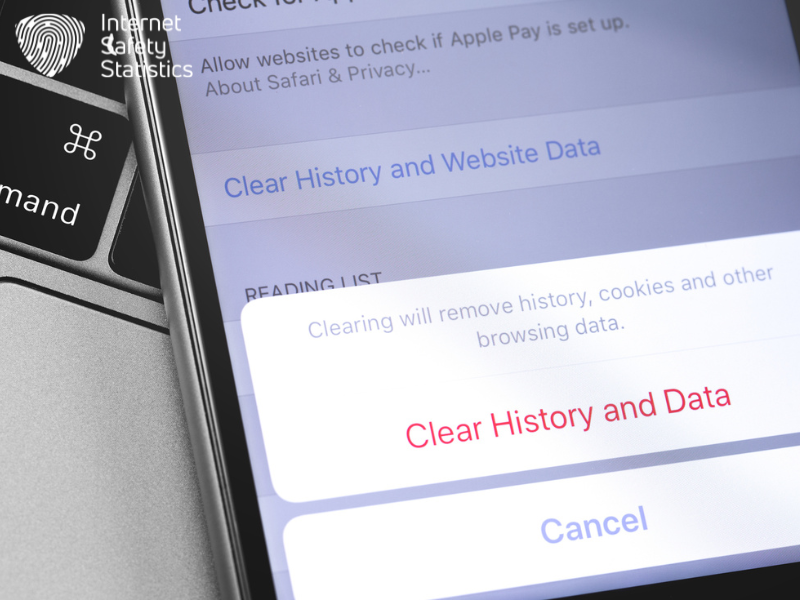
- Regularly clear your browsing history and cookies to minimise the risk of unauthorised access to your data.
- Enable two-factor authentication where possible to add an extra layer of protection against cookie fraud.
Controlling Cookies Through Browsers and Devices
Take control of your online privacy by learning how to enable and remove web cookies, manage browser options, and use privacy extensions and tools. Learn more about protecting your data and privacy from invasive web tracking.
Enabling and Removing Website Cookies
- Access your browser settings to manage cookies, enabling or disabling them according to your preferences.
- Utilise the privacy options in your browser to specify which websites can or cannot place web cookies on your device.
- Take advantage of tools and extensions that allow you to have more granular control over the cookies that are stored on your device.
- Periodically review and delete unwanted web cookies from your browser’s storage to ensure that only necessary ones remain.
- Exercise caution when accepting web cookies, and consider what personal data you’re comfortable with sharing before enabling them on a website.
- Stay informed about new developments in cookie management tools and technologies to best protect your online privacy.
Browser Options for Managing Cookies
Once you have enabled or removed cookies, it’s important to know how to manage them within your browser. Here are some simple ways to control website cookies using different browser options and settings:
- Use the privacy settings in your browser to manage and control cookie preferences.
- Explore the options for blocking or allowing specific cookies based on your preferences and needs.
- Look into the possibility of setting alerts for when a website tries to install a cookie on your device.
- Consider using browser extensions or add-ons designed specifically for managing and controlling cookies.
- Regularly review and update your browser settings to ensure that you have the most up-to-date controls over cookies.
Using Privacy Extensions and Tools
To further enhance online privacy beyond browser options, consider using privacy extensions and tools. These tools provide additional layers of protection by blocking third-party cookies, preventing data collection, and offering more control over your online footprint.
By incorporating these resources into your browsing experience, you can actively safeguard your personal information from being collected and utilised without your consent. Additionally, these privacy extensions and tools empower you to manage your data consent more effectively while navigating the web.
In conjunction with browser settings, deploying privacy extensions and tools equips internet users with comprehensive control over their digital privacy. These additional measures help mitigate the risks associated with invasive tracking through cookies and contribute to a safer online environment for individuals across various demographics such as parents or office workers.
The Legal Side of Web Cookies
Understanding cookie policies and how they relate to laws requiring them can help you navigate the legal side of cookies. Compliance with EU cookie laws and understanding consumer rights under CCPA and CPRA are important considerations for internet users.
Understanding Website Cookie Policies
To comply with global data privacy laws like the GDPR and EU cookie laws, it is essential to update privacy and cookie policies. These updated policies should disclose information about cookies, their purpose, and how to control them.
By understanding cookie policies, internet users can better protect their online privacy. It is important for all internet users, including parents and office workers, to comprehend at least the basics of what cookies are and how they affect browsing.
This understanding empowers individuals to make informed decisions about managing web cookies and boosting online privacy.
Web cookies play a significant role in tracking user behaviour across sites and collecting personal information. Therefore, being familiar with cookie policies ensures that users have control over their online activities while navigating through different websites.
Laws Requiring Cookie Policies
Understanding cookie policies is crucial for businesses and website owners, especially when it comes to complying with the laws requiring cookie policies. These policies ensure that internet users are informed about the use of cookies on a website, their purpose, and how to control them.
It’s essential to update privacy and cookie policies in order to comply with cookie laws such as the GDPR and EU regulations. By understanding these laws, businesses can protect user privacy by disclosing information about cookies and providing clear instructions on managing them.
Compliance with laws requiring cookie policies ensures transparency about data collection practices, giving users greater control over their online privacy. Updating privacy and cookie policies to align with these legal requirements is crucial for maintaining trust with customers or visitors to websites.
Compliance with EU Cookie Laws
EU cookie laws require websites to obtain consent from users before storing or accessing information on their devices. These guidelines aim to protect user privacy and ensure transparency regarding the use of cookies.
Businesses must comply with these regulations by providing clear and comprehensive cookie policies, disclosing the purpose of cookies, and offering options for users to manage their preferences.
Understanding these laws empowers individuals to make informed decisions about their online privacy and control how cookies collect data.
To comply with EU cookie laws, website owners need to implement mechanisms that enable users to give explicit consent for the use of cookies. Additionally, they should provide accessible information about the types of cookies used, their purpose, and how users can exercise control over them through browser settings or other tools.
How Businesses Use Cookies
Businesses use cookies to collect user data, track online behaviour, and deliver targeted advertising. It’s important for consumers to understand their rights under privacy laws like the CCPA and CPRA.
Collecting User Data
Web cookies are often used by businesses to collect user data, including browsing habits and site preferences. This data is then utilised for targeted advertising and personalised user experiences.
Internet users should be aware that their online activities may be tracked and recorded through the use of cookies, which can impact their privacy. Understanding how businesses collect and utilise this data is crucial in order to take control of one’s online privacy.
By being informed about cookie usage and taking necessary precautions, individuals can protect their personal information while browsing the internet.
It is important to understand that web cookies serve as a tool for companies to gather insights into user behaviour, enabling them to tailor marketing strategies according to individual interests.
Targeted Advertising
Cookies have become a key tool for businesses to deliver targeted advertising. They allow companies to track your online behaviour, such as the websites you visit and the products you view, in order to tailor ads specifically for you.
Through these cookies, businesses can create detailed profiles of users’ interests and preferences, making it easier for them to display relevant advertisements. By understanding how targeted advertising works through cookies, internet users can take control of their online privacy by managing and controlling the information that is collected about them.
Businesses use cookies not only to track user behaviour but also to collect data on demographics and purchasing habits. This information enables them to craft personalised marketing strategies that are more likely to resonate with potential customers.
Consumer rights Under CCPA and CPRA
To protect consumers from potential privacy violations, laws like the California Consumer Privacy Act (CCPA) and the California Privacy Rights Act (CPRA) empower individuals with rights over their personal data.
These regulations give Californian residents control over how businesses use their personal information, allowing them to access, delete, or opt out of the sale of their data. Under CCPA and CPRA, individuals have the right to know what personal information is being collected about them and whether it’s being sold or disclosed to third parties.
They also have the right to request that businesses delete their personal information and opt out of having their data sold to third parties.
Conclusion
Understanding cookies is essential for safeguarding online privacy. By learning how to control cookies through browser settings and privacy tools, internet users can take charge of their online data.
Updating cookie policies and understanding relevant laws are key steps towards compliance and protecting personal information from unauthorised tracking. Educating oneself about web cookies empowers individuals to make informed decisions about their online privacy.