


In today’s world, keeping your online life private feels like an impossible task. Did you know a simple tool called a VPN can change that? Our blog will guide you through how VPNs work to shield your digital footprint, amp up security, and keep prying eyes at bay.
Read on for the key to safer surfing.
Key Takeaways
- VPNs secure your internet connection through encryption, rendering data unreadable to hackers and shielding your activities from surveillance.
- By masking your IP address, VPNs provide anonymity online, allowing you to access content without geographic restrictions or censorship.
- Different types of VPNs cater to various needs – whether it’s for individual use, connecting multiple sites, mobile security, or enhanced privacy without complex installations.
- A reliable VPN should offer strong encryption standards such as AES 256-bit and have a strict no-logs policy to ensure that user activity remains private.
- Key features like a kill switch safeguard against data exposure during dropped connections and multi-device support ensures protection across all gadgets used for web browsing.
Understanding Virtual Private Networks (VPNs)
A virtual private network (VPN) is a secure and encrypted connection that allows you to access the internet privately, while also masking your IP address. There are different types of VPNs, but all serve the purpose of enhancing online privacy and security.
What is a VPN?
A VPN, short for Virtual Private Network, is a tool that secures your internet connection. When you use one, it encrypts all the data you send and receive. This encryption means that no one else can read your information—not hackers, not governments, not even your own Internet Service Provider.
Think of it as sending secret letters through a transparent tunnel; with a VPN, it’s like the letters are in an unbreakable code.
VPNs also hide your IP address to protect your online anonymity. Your IP address is like your home address on the internet – it identifies where you’re connecting from and who you might be.
With a VPN hiding this information, websites can’t track you and advertisers find it harder to target ads at you. You get to surf the net without leaving digital footprints everywhere.
Plus, if there’s content blocked in your country or region due to geo-restrictions or censorship issues – a VPN lets you bypass those blocks by making it look like you’re accessing from somewhere else.
Types of VPNs
- Remote Access VPN: This type allows individual users to connect to a private network remotely, providing secure access to resources and data.
- Site-to-Site VPN: It enables secure communication between different networks located in separate geographical locations, allowing them to connect as if they were on the same local network.
- Mobile VPN: Developed for mobile devices, it provides secure connectivity for users on the go, ensuring data privacy and protection whilst using public Wi-Fi or cellular networks.
- SSL VPN: This type uses Secure Sockets Layer (SSL) protocol to provide secure remote access through a web browser, making it convenient for users without any additional software installation.
- IPsec VPN: It offers strong security by utilising Internet Protocol Security (IPsec) protocols to establish secure connections over the internet, often used in corporate environments for protecting sensitive data.
- Layer 2 Tunneling Protocol (L2TP)/IPsec VPN: Combining the best features of L2TP and IPsec, this type provides a robust and encrypted connection ideal for securing data transmission across different networks.
Why do You Need a VPN?
Protect your online privacy and security by using a VPN. With hackers constantly on the prowl for sensitive data, encrypting your internet connection is essential. Prevent others from monitoring your browsing activities or stealing personal information with the help of a reliable VPN.
By masking your IP address, a VPN enhances your anonymity, making it difficult for anyone to trace back to you. Access geo-restricted content and bypass censorship while maintaining utmost privacy with a VPN – an indispensable tool in today’s digital age.
Safeguarding confidential information becomes effortless when using a VPN. Whether at home or in the office, ensure secure internet browsing and protect sensitive data from prying eyes by integrating this powerful cybersecurity tool into your online arsenal.
How VPNs Protect Your Privacy and Security
VPN protects your privacy and security by creating a secure and encrypted connection, masking your IP address, bypassing geo-restrictions, and ensuring the integrity of your data.
Creating a Secure and Encrypted Connection
A VPN creates a secure and encrypted connection, shielding your online activities from prying eyes. By encrypting the data you send and receive, it helps protect sensitive information such as login credentials and banking details from potential hackers or malicious actors.
This encryption also ensures that your internet traffic remains private, safeguarding your browsing history and personal data from being tracked or monitored without your consent.
When activated, a VPN establishes a secure communication tunnel between your device and the network you are connected to, providing an added layer of security for all your online interactions.
Masking Your IP Address
Masking your IP address is a crucial feature of VPNs, as it conceals your online identity and location. Your IP address reveals details about your internet connection and physical location, but with a VPN, this information remains hidden from prying eyes.
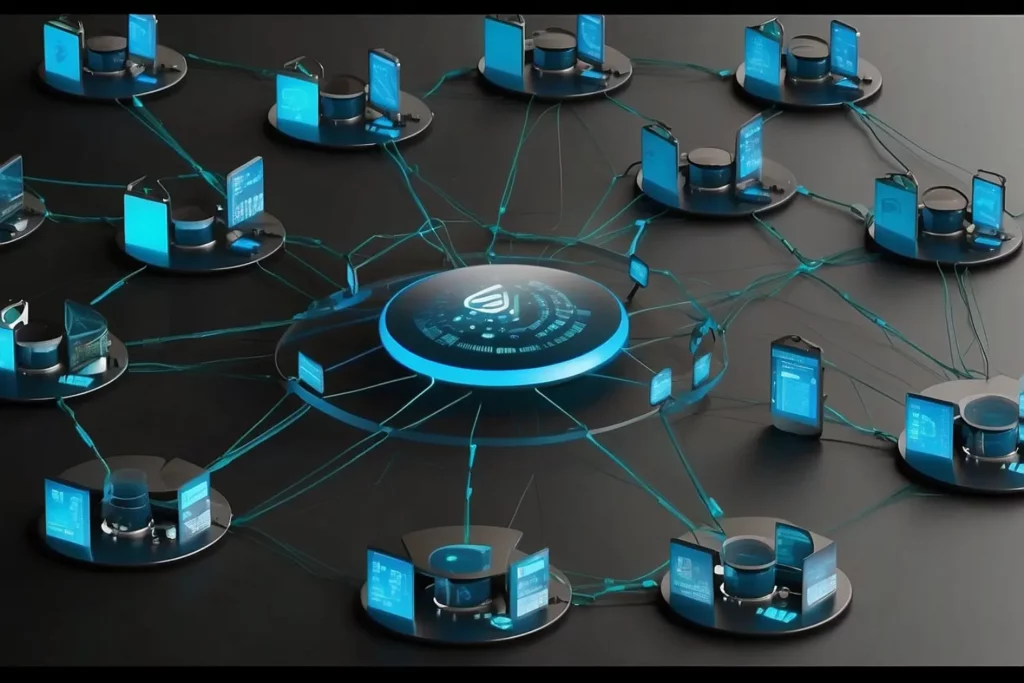
By rerouting your traffic through a secure server in another location, the VPN assigns you a temporary IP address for that region, safeguarding your online anonymity.
This additional layer of protection also prevents websites and online services from tracking and profiling you based on your real IP address. Moreover, masking your IP address enables you to bypass geo-restrictions imposed by certain websites or streaming platforms, allowing access to content that may be limited in your actual location.
Bypassing Geo-Restrictions
Bypassing geo-restrictions allows you to access content that is typically unavailable in your location. By using a VPN, you can connect to servers in other countries, enabling you to bypass these restrictions and unlock a wider range of online content.
This means that you can enjoy streaming services, websites, and other online resources that may be limited or blocked in your current location.
Accessing geo-restricted content with a VPN opens up new entertainment options and gives you the freedom to explore different websites and platforms without limitations. It’s an effective way to broaden your online experience and make the most of what the internet has to offer.
Ensuring Data Integrity
A VPN ensures data integrity by encrypting your internet connection, making it difficult for hackers to intercept your sensitive information. This encryption creates a secure “tunnel” between your device and the internet, safeguarding your data from potential breaches.
By using a VPN, you can have peace of mind knowing that your online activities are protected, and your personal information is kept safe from prying eyes.
When choosing a VPN service, look for strong encryption protocols and a strict no-logs policy to ensure that your data remains private and secure. Additionally, consider factors such as speed and performance to guarantee smooth browsing while maintaining high levels of security.
With the right VPN in place, you can confidently browse the internet without worrying about the integrity of your data.
Benefits of Using a VPN
Using a VPN encrypts your online traffic, protecting it from prying eyes. It also allows you to access geo-restricted content and maintain anonymity while browsing the internet.
Encrypting Online Traffic
Encrypting online traffic is a vital aspect of using a VPN. By creating a secure and encrypted connection, a VPN ensures that your data remains private and protected as it travels between your device and the internet.
This encryption makes it incredibly difficult for hackers to intercept any sensitive information you may be transmitting, such as passwords or personal details.
Furthermore, encrypting online traffic helps in safeguarding your browsing privacy by preventing others from monitoring and tracking your online activities. Whether you are accessing sensitive company data while working remotely or simply browsing the web at home, encrypting your online traffic with a VPN provides an essential layer of security and anonymity.
Protecting Data on Public Wi-Fi
When connecting to public Wi-Fi, it’s crucial to protect your data from potential security risks. Using a VPN safeguards your sensitive information, such as passwords and personal details, when accessing public networks.
By encrypting the data that travels between your device and the internet, a VPN shields it from unauthorised access by cybercriminals who may be lurking on the same Wi-Fi network.
Apart from encryption, a VPN also conceals your IP address, preventing others from monitoring or tracking your online activities. This feature is especially valuable when using public Wi-Fi hotspots at airports, cafes, or hotels where the network security may be compromised.
Maintaining Anonymity
Using a VPN helps maintain anonymity online by encrypting your internet connection and masking your IP address. This prevents others from tracking or monitoring your online activities, enhancing your privacy protection.
Additionally, VPNs allow you to access geo-restricted content and bypass censorship while safeguarding your data from potential threats. Choosing a reliable VPN provider is crucial in ensuring the security and anonymity of your online browsing and data transfer.
Incorporating a VPN into your daily internet usage provides peace of mind and ensures that you can browse the web securely without compromising on privacy or security. These measures are essential for protecting personal information in an increasingly digital world where online threats are prevalent.
Accessing Geo-Restricted Content
Access geo-restricted content with a VPN. By connecting to a server in another location, you can bypass geographic restrictions and access content that is typically unavailable in your region.
This allows you to enjoy unrestricted access to a wide range of websites, streaming services, and online platforms from anywhere in the world.
When using a VPN, you can choose a server location where the desired content is accessible. Once connected, your IP address appears as though you are browsing from that specific location, granting you seamless access to geo-blocked websites and streaming services without any hassle or limitations.
Whether it’s accessing region-specific Netflix libraries or unblocking social media platforms and news websites while travelling abroad, a VPN offers an effective solution for accessing geo-restricted content with ease.
Secure P2P File Sharing
VPN technology not only allows you to access geo-restricted content but also enables secure peer-to-peer (P2P) file sharing. When using a VPN for P2P file sharing, your data is encrypted and your IP address is masked, ensuring that your online activities remain private and secure.
This means that you can share files with others over the internet without exposing your identity or risking potential security breaches.
Using a VPN for P2P file sharing provides an additional layer of protection when exchanging files with others online. By establishing a secure communication “tunnel” from your device to the internet, VPNs make it difficult for cybercriminals or third parties to intercept the data being transferred during file-sharing activities, safeguarding both privacy and security.
Bypassing Internet Censorship
When it comes to accessing restricted online content, VPNs play a crucial role in bypassing internet censorship. By connecting to a VPN server located in another country, users can effectively mask their actual location and access websites or services that may be blocked in their current region.
This allows individuals to browse the internet freely and securely, without being limited by governmental restrictions or other forms of censorship. With the ability to bypass internet censorship, VPN technology empowers users to enjoy unrestricted access to information and entertainment across the globe.
Using a VPN also enables users to circumvent blocks imposed on specific websites or services within their current location. Whether it’s accessing social media platforms, news websites, or streaming services that are unavailable due to geo-restrictions or government-imposed bans, a VPN offers a solution by providing an alternate IP address from a different country.
Key Features to Look for in a VPN Service
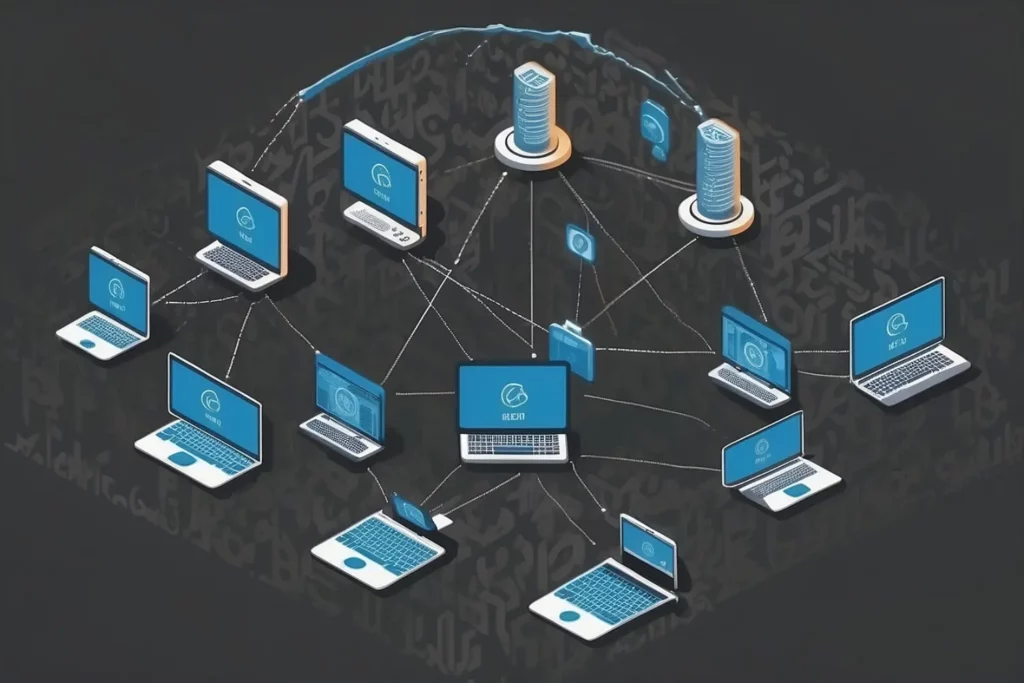
When choosing a VPN service, it’s crucial to consider aspects such as strong encryption, wide server network, no-logs policy, kill switch, and user-friendly interface. These features are essential for ensuring your online anonymity and security.
Strong Encryption
Encrypting your online data with a VPN ensures that it is scrambled and unreadable to potential hackers. This prevents them from intercepting sensitive information such as passwords, financial details, or personal communications.
Strong encryption also shields your internet traffic from prying eyes, maintaining the privacy of your online activities and protecting against unauthorised access to your data. By creating a secure tunnel for your communication, VPNs add an extra layer of defence in safeguarding your information from cyber threats.
VPNs employ military-grade encryption standards like AES (Advanced Encryption Standard) 256-bit which is virtually unbreakable, ensuring that your data remains secure while traversing the internet.
Wide Server Network
A wide server network is essential for a VPN service as it allows users to connect to servers located across the globe. This means that users can access content from different regions and enjoy faster connection speeds.
With a wide server network, you can bypass geo-restrictions more effectively, ensuring that you have access to a diverse range of online content while maintaining your privacy and security.
Moreover, having numerous servers enhances the overall reliability and performance of the VPN, offering more options for securely routing your internet traffic through different locations around the world.
No-Logs Policy
Choose a VPN service with a strict no-logs policy to ensure that your online activities are not tracked or stored. This means that the provider does not keep records of your browsing history, connection timestamps, or any other sensitive information.
Opting for a VPN with a no-logs policy adds an extra layer of privacy and security to your online experience, giving you peace of mind knowing that your data is not being monitored or recorded.
When selecting a VPN, prioritise providers who have been independently audited to verify their claims of maintaining a strict no-logs policy. By doing so, you can be confident in the transparency and credibility of the VPN service’s commitment to protecting your internet privacy and ensuring that none of your personal information is being stored or shared without your consent.
Kill Switch
A kill switch is a crucial feature to look for in a VPN service. It automatically disconnects your device from the internet if the VPN connection drops, preventing your data from being exposed.
With this feature enabled, you can browse the web with peace of mind, knowing that your online activities are always protected. In case of any unexpected disruptions to your VPN connection, the kill switch acts as an additional layer of security to ensure that your sensitive information remains private and secure.
The presence of a kill switch in your chosen VPN service helps maintain continuous protection against potential privacy breaches and data exposure, giving you added confidence when using public Wi-Fi or accessing geo-restricted content.
Multiple Device Support
A reputable VPN service should offer multiple device support, allowing you to secure various devices, such as computers, smartphones, and tablets. This feature enables parents to protect their children’s online activities across different gadgets and empowers office workers to safeguard their professional data on multiple devices.
With support for numerous devices, internet users can ensure consistent privacy and security no matter which device they are using. Additionally, having the ability to use a VPN on different devices ensures comprehensive protection for all aspects of your online presence.
Furthermore, multiple device support from a VPN provider allows you to maintain security while switching between devices seamlessly. Whether it’s protecting your family’s online interactions or securing work-related tasks on various gadgets, this feature enhances convenience while ensuring robust data protection throughout your digital experiences.
User-Friendly Interface
A user-friendly interface is crucial when choosing a VPN service. It ensures that the software is easy to navigate and understand, even for those new to VPN technology. With simple settings and clear instructions, users can easily connect to different servers, toggle security features, and troubleshoot any issues that may arise.
A straightforward interface makes it easier for parents, office workers, and internet users to take advantage of the privacy and security benefits offered by a VPN without feeling overwhelmed by technical details.
Furthermore, an intuitive interface enables quick access to essential features like server selection and encryption settings. This allows users to manage their online security with ease, making it simpler for them to protect their data while browsing privately or accessing geo-restricted content without sacrificing performance or functionality.
Customer Support
Look for a VPN service that provides reliable and responsive customer support. A quick response to any issues can ensure uninterrupted security while using the VPN. Therefore, when evaluating different providers, consider the availability of 24/7 live chat or responsive email support.
This helps address any technical difficulties promptly, ensuring smooth and secure internet access.
Moving onto “Speed and performance”, it’s essential to consider how a VPN impacts your internet speed and overall online experience.
Speed and Performance
A VPN can impact your internet speed and performance. The encryption process can lead to a slight decrease in speed, but this is often minimal and generally not noticeable for regular browsing or streaming activities.
However, for tasks that require high bandwidth, such as online gaming or large file downloads, it’s essential to select a VPN service with faster servers and optimal performance capabilities.
By choosing the right service with a wide server network and strong encryption features, you can enjoy improved online security without compromising on speed.
When using a VPN, it’s important to consider the distance between your physical location and the VPN server you’re connected to. Connecting to a server closer to your location can significantly improve speed and overall performance.
Additional Security Features
When considering a VPN service, it’s crucial to prioritise those offering additional security features. Look for options with built-in malware and ad blockers, which provide an extra layer of protection against online threats.
Furthermore, reputable VPN providers offer DNS leak protection to prevent your browsing activity from being exposed. It’s also essential to opt for a provider that offers multi-factor authentication (MFA), adding another level of security to your account access.
In addition, consider a VPN service that includes split tunnelling capabilities. This feature allows you to route only part of your internet traffic through the VPN while maintaining direct access to local resources—enhancing both convenience and security without compromising performance.
Pricing and Plans
When looking for a VPN service, consider the available pricing and plans that fit your budget and needs. Look for subscription options that offer flexibility, such as monthly or yearly plans.
Many reputable providers also offer a money-back guarantee, allowing you to test the service risk-free. Keep in mind that while some free VPNs exist, they often come with limitations on data usage or lack essential security features.
Consider investing in a paid plan to access more robust security measures and reliable customer support.
It’s important to evaluate the pricing alongside the features offered by each plan. Look for key aspects like strong encryption, wide server network, no-logs policy, and additional security features when considering different price points.
Practical Tips for Maximising Privacy with VPNs
To maximise privacy with VPNs, choose a reliable provider and enable the kill switch feature. Use strong, unique passwords and regularly update your VPN software for enhanced security.
Choose a Reliable Provider
To ensure the security and privacy of your online activities, selecting a reputable and trustworthy VPN provider is crucial. Look for providers that offer strong encryption, a strict no-logs policy, and additional security features such as a kill switch.
Consider VPN services with a wide server network to maximise speed and performance. It’s also essential to choose a provider offering user-friendly interfaces, multiple device support, reliable customer support, and transparent pricing plans.
By choosing a reliable provider, you can confidently enhance your online anonymity and security.
Enable Kill Switch
Enable the kill switch on your VPN to ensure maximum security. This feature automatically disconnects your device from the internet if the VPN connection drops, preventing any data leaks.
By activating the kill switch, you can rest assured that your online activities remain private and secure at all times, especially when switching between different networks or experiencing temporary connection issues.
Incorporating a kill switch into your VPN setup enhances protection against potential privacy breaches and ensures uninterrupted security for your sensitive information. With this feature enabled, you can confidently browse the web, access geo-restricted content, and conduct online transactions without worrying about exposure to unsecured networks or cyber threats.
Use Strong, Unique Passwords
Create strong, unique passwords for all your online accounts. Avoid using easily guessable information such as names or birthdays. A strong password includes a combination of upper and lower case letters, numbers, and special characters to make it hard to crack.
Regularly update your passwords to enhance security. Using the same password for multiple accounts poses a risk – ensure each account has a unique password.
Enhancing your password security is an important step in safeguarding your online activities. Make this a habit alongside other privacy measures like choosing a reliable VPN provider and enabling additional security features.
Regularly Update VPN Software
Ensure your online security by regularly updating your VPN software to safeguard against potential vulnerabilities. Keeping your VPN software up to date is crucial for maintaining the integrity of its security features, thereby minimising the risk of unauthorised access to your data.
By staying current with updates, you can be confident that your VPN continues to provide robust encryption and protection against online threats.
Staying on top of VPN software updates also ensures that any newly discovered security flaws are swiftly addressed and patched, bolstering the overall reliability and effectiveness of your virtual private network.
Connect to Trusted Servers
To enhance your online security, make sure to connect to trusted servers when using a VPN. This is crucial for ensuring that your data is encrypted and transmitted through reliable channels.
By connecting to trustworthy servers, you can be confident that your internet traffic is secure and protected from potential threats. Additionally, connecting to trusted servers helps maintain the integrity of your data and provides peace of mind knowing that your online activities are safeguarded from prying eyes.
Remember, whilst using a VPN, always opt for established and reputable server connections to maximise the protection of your online anonymity and security. By doing so, you can rest assured that your sensitive information remains confidential and shielded from unauthorised access or surveillance.
Use 2FA
Enable Two-Factor Authentication (2FA) to add an extra layer of security to your online accounts. 2FA requires not only a password and username but also something that only the user has on them, such as a piece of information only they would know or have immediately at hand.
This additional step significantly reduces the risk of unauthorised access, especially if your password gets compromised. By enabling 2FA, you can enhance the security of your online accounts and protect sensitive information from potential threats.
Now let’s explore practical steps to maximise privacy with VPNs.
Avoid Suspicious Websites and Links
When using a VPN, it is essential to avoid suspicious websites and links that could compromise your online security. Be cautious when clicking on unknown URLs or downloading files from untrusted sources, as they may contain malware or phishing attempts aimed at stealing your personal information.
Always verify the legitimacy of websites and links before clicking on them to prevent potential security breaches and data compromises.
By exercising caution and being mindful of the websites you visit and the links you click on, you can minimise the risk of falling victim to cyber threats such as viruses, ransomware, and identity theft.
Regularly Clear Browser Cookies and Cache
Regularly clearing browser cookies and cache helps to maintain your online privacy by removing stored data that can be used to track your browsing activities. By doing so, you can reduce the risk of targeted advertising and prevent websites from accessing personal information.
Additionally, clearing cookies and cache regularly can improve your browsing speed and performance, as it removes unnecessary data that may slow down your internet experience. It’s a simple yet effective way to enhance your online anonymity and security while ensuring a smoother browsing experience.
When done frequently, clearing browser cookies and cache also reduces the chances of encountering technical issues or errors on websites due to outdated or corrupted stored data. This practice ensures that you’re always accessing the most updated version of websites while keeping your digital footprint minimal.
Disable WebRTC
Disable WebRTC to prevent your real IP address from being exposed, enhancing your online privacy and security. Web Real-Time Communication (WebRTC) is a feature that can inadvertently leak your IP address, compromising the anonymity provided by VPNs.
By disabling WebRTC in your web browser settings or using browser extensions designed for this purpose, you can ensure that your true IP address remains hidden while you browse the internet through a VPN.
Furthermore, by taking this extra step to disable WebRTC, you add an additional layer of protection against potential privacy breaches and maintain control over the information you share online.
Use Additional Security Measures
After taking precautions to disable WebRTC, it’s essential to use additional security measures to further safeguard your online activities. Employing two-factor authentication (2FA) adds an extra layer of protection by requiring a second form of identification before granting access to your accounts.
Regularly clearing browser cookies and cache can help prevent tracking and enhance your privacy while browsing the internet. Furthermore, using strong, unique passwords for each online account is crucial in preventing unauthorised access.
Additionally, regularly updating VPN software ensures that you have the latest security features and bug fixes, keeping your connection secure from potential vulnerabilities. Connecting only to trusted servers provided by your VPN service helps maintain a safe and reliable connection while avoiding potentially risky networks.
Enhancing your online security and anonymity through VPNs involves encrypting your internet connection, masking your IP address, and accessing geo-restricted content. A reliable VPN service will protect your data from potential threats on public Wi-Fi networks while ensuring that you remain anonymous and secure when browsing online.
By considering key features such as strong encryption, wide server network, and a no-logs policy, you can maximise the benefits of using a VPN to safeguard your privacy effectively.
Remember to choose a reputable provider for the best protection against cyber risks.