Navigating the complex world of cybersecurity requires careful consideration when selecting protection software for your Windows PC. In this comprehensive Avast vs Spybot guide, we examine two distinct approaches to digital security: Avast, a full-featured antivirus suite, and Spybot Search & Destroy, a specialised anti-malware tool. Both have served UK users for years, yet their philosophies, capabilities, and target audiences differ significantly.
Understanding which solution aligns with your specific security requirements is essential for maintaining robust protection against modern threats. This Avast vs Spybot comparison analyses their malware detection capabilities, system performance impact, pricing structures, and privacy policies, with particular attention to UK regulatory compliance and local market considerations. Whether you prioritise comprehensive protection or targeted spyware removal, this guide will help you make an informed decision.
Table of Contents
Understanding the Contenders

The Avast vs Spybot debate centres on fundamentally different security approaches with distinct objectives and target audiences.
Avast: A Modern Security Suite
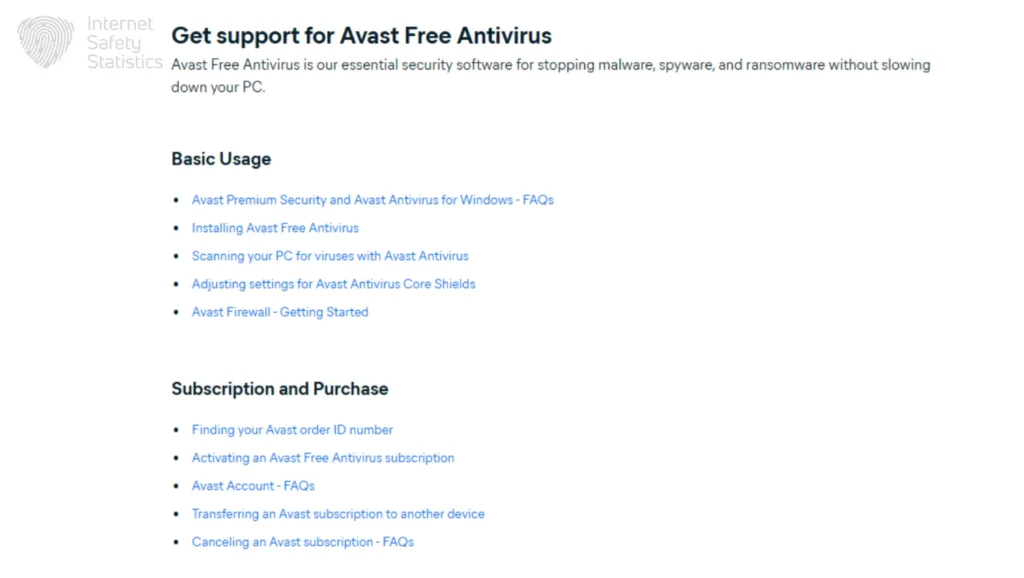
Avast has evolved into a comprehensive security platform serving over 435 million users globally. Founded in Prague in 1988, Avast provides comprehensive protection, encompassing real-time antivirus scanning, web shields, email protection, and network security features. The software employs artificial intelligence and machine learning to identify both known threats and zero-day exploits.
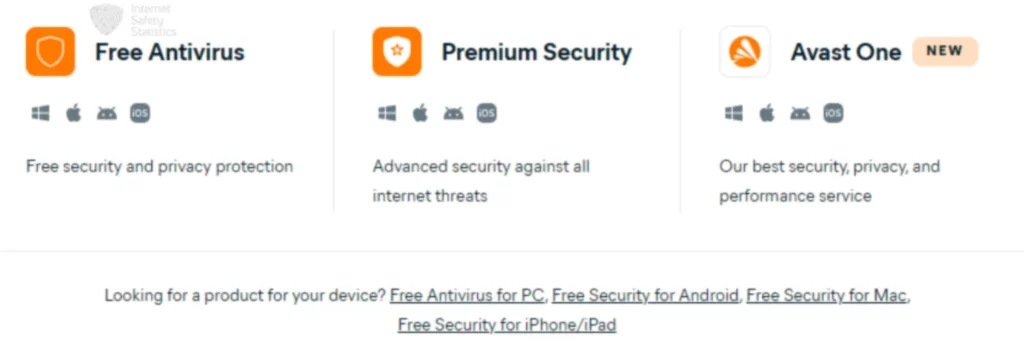
UK users benefit from Avast’s compliance with local data protection standards, including ICO registration. The platform supports Windows, macOS, Android, and iOS devices, making it suitable for cross-platform protection across households.
Spybot Search & Destroy: The Malware Specialist
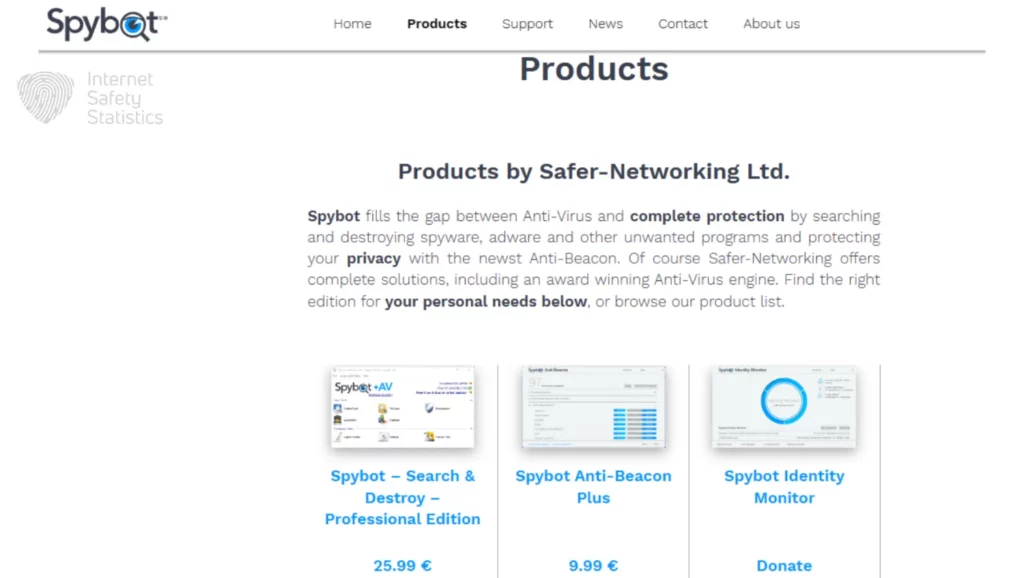
Spybot Search & Destroy, developed by Safer-Networking Ltd since 2000, focuses specifically on detecting and removing spyware, adware, and tracking software. This specialised approach appeals to users seeking targeted malware removal or supplementary protection alongside a primary antivirus.
The software adheres to strict European data protection standards, beneficial for privacy-conscious UK users. Spybot operates exclusively on Windows systems, employing signature-based detection combined with system immunisation features that proactively block known malicious sites.
What is Spybot Search & Destroy?
Spybot Search & Destroy is a dedicated anti-spyware application designed to detect, remove, and prevent spyware infections on Windows computers. Unlike comprehensive antivirus suites, Spybot concentrates on tracking programmes, adware, browser hijackers, and potentially unwanted programmes (PUPs).
The software operates through scanning and immunisation. Its scanning engine examines system files, registry entries, and browser data for known spyware signatures. The immunisation feature proactively blocks access to thousands of malicious websites by modifying browser and system settings.
Spybot offers free and paid versions. The free edition provides basic malware scanning and immunisation. The Professional edition, costing approximately £22-£28 annually, adds real-time protection, automatic updates, and priority support.
Is Spybot Safe and Still Relevant in 2025?
Spybot Search & Destroy remains a legitimate and safe security tool, regularly updated by Safer-Networking Ltd. However, its relevance in 2025 requires careful consideration.
The primary limitation is that Spybot’s free version lacks real-time protection, detecting threats only during manual scans rather than preventing infections as they occur. Modern malware requires instantaneous detection, making real-time protection essential for primary security solutions.
Additionally, Spybot receives limited attention from independent testing laboratories compared to major antivirus vendors. Organisations like AV-Test and AV-Comparatives focus evaluations on comprehensive security suites, making objective performance comparisons challenging.
Spybot remains valuable in specific scenarios, such as serving as a secondary scanner alongside primary antivirus protection, for cleaning infections on older Windows versions, or for users with legacy hardware. However, relying solely on Spybot’s free version as primary protection creates significant security gaps against ransomware, zero-day exploits, and sophisticated malware requiring behavioural analysis.
Head-to-Head: Feature and Performance Breakdown

This section examines core capabilities across critical security functions in our Avast vs Spybot comparison.
Core Malware Protection and Detection
The malware protection capabilities represent the most significant difference between Avast and Spybot.
Avast’s Multi-Layered Approach
Avast employs sophisticated detection combining multiple technologies. Signature-based scanning identifies known threats using an extensive malware database that is continuously updated. Behavioural analysis monitors programme activities in real-time, detecting suspicious actions that do not match known signatures. Heuristic scanning examines code structures to identify previously unknown threats, while machine learning analyses patterns to rapidly identify emerging threats.
Independent testing demonstrates strong performance against current threats, though specific scores vary by test cycle and methodology.
Spybot’s Focused Detection
Spybot utilises primarily signature-based detection, maintaining an extensive database of known spyware, adware, and tracking software. Its scanning engine examines system files, Windows registry, and browser data for database matches. The immunisation feature prevents connections to thousands of known malicious websites.
However, Spybot lacks behavioural analysis and heuristic capabilities present in modern antivirus solutions, meaning it cannot detect novel threats until signatures are added. Independent laboratory testing remains sparse compared to comprehensive antivirus solutions.
According to the NCSC, UK users face increasing threats from ransomware, phishing, and sophisticated malware. Avast’s multi-layered approach provides more comprehensive protection, whilst Spybot serves better for targeted spyware removal or supplementary scanning.
System Performance and Impact
System resource usage represents another key consideration in the Avast vs Spybot decision.
Avast’s Resource Usage
Avast’s comprehensive features demand moderate system resources. During active scanning, Avast typically utilises 300-600MB of RAM and 15-30% of the CPU on mid-range processors. Full system scans take approximately 45-60 minutes, though Smart Scan completes in 10-15 minutes.
Idle resource consumption uses approximately 150-250MB RAM. Users with older systems (pre-2015 hardware with 4GB RAM or less) may notice performance degradation. Avast includes Silent Mode, which reduces background activity during gaming or presentations.
Spybot’s Lightweight Operation
Spybot distinguishes itself through minimal system impact. Idle RAM usage typically ranges from 50 to 100 MB. Full system scans are complete in 20-35 minutes, primarily because Spybot examines fewer file types than full antivirus solutions.
This lightweight footprint makes Spybot particularly suitable for older Windows systems, budget laptops, or machines with limited specifications.
For modern systems (Windows 10/11 with 8GB+ RAM), Avast’s performance impact remains acceptable. Users prioritising minimal interference or operating older hardware will find Spybot’s lightweight design more suitable.
User Interface and Ease of Use
Interface design significantly impacts daily usability, making it a crucial factor in the Avast vs. Spybot comparison.
Avast’s Modern Dashboard
Avast presents a contemporary interface organised around a central dashboard displaying security status and feature access. The design employs clear colour coding—green for secure status, orange for warnings, red for critical issues—allowing immediate status assessment.
Navigation follows a logical structure with main categories (Protection, Privacy, Performance) accessible through a left sidebar. Each feature includes explanatory text and contextual help. However, the abundance of features and promotional messages for premium upgrades can initially overwhelm new users.
Spybot’s Functional Design
Spybot adopts a utilitarian interface prioritising function over visual polish. The main window presents a straightforward list of scanning options and immunisation features. This approach appeals to technically proficient users preferring direct access without navigating multiple menus.
The learning curve is steeper than Avast, particularly regarding immunisation features requiring an understanding of browser security concepts. However, once mastered, the interface enables efficient operation with minimal clicks.
For UK users new to cybersecurity, Avast’s modern design provides a gentler introduction. Technically proficient users may prefer Spybot’s streamlined approach.
Network Security Features
Network protection is vital for preventing intrusions and safeguarding online activities. This section examines how Avast and Spybot handle network security through firewalls, Wi-Fi inspection, and real-time threat monitoring.
Avast’s Comprehensive Network Protection
Avast includes Wi-Fi Inspector that scans network connections for vulnerabilities, unauthorised devices, and router security weaknesses. This identifies unknown connections and assesses router security settings.
The Web Shield filters website connections before reaching your browser, blocking malicious sites, phishing pages, and compromised legitimate websites. Email Shield scans attachments for malware, preventing infection through this common attack vector.
Avast’s firewall (premium versions) monitors network traffic bidirectionally, blocking suspicious connections and providing granular control over application internet access.
Spybot’s Immunisation Approach
Spybot lacks dedicated network security features, firewall protection, or Wi-Fi scanning. However, its immunisation feature provides indirect network protection by modifying browser and system settings to block thousands of known malicious websites.
The immunisation process adds entries to browser blocklists and the Windows hosts file, preventing connections to documented malware distribution sites. This operates only against known threats catalogued in Spybot’s database.
UK users prioritising network security—particularly those using public Wi-Fi—benefit significantly from Avast’s comprehensive features. Spybot’s immunisation provides baseline protection but lacks real-time network monitoring.
Additional Security Features
Beyond core malware protection, extra tools can greatly enhance overall system security. This section highlights the additional features offered by Avast and Spybot that go beyond basic antivirus capabilities.
Avast’s Extended Toolkit
Avast Premium Security includes several supplementary features. The Ransomware Shield specifically protects personal folders and photographs from encryption attacks, addressing primary NCSC concerns.
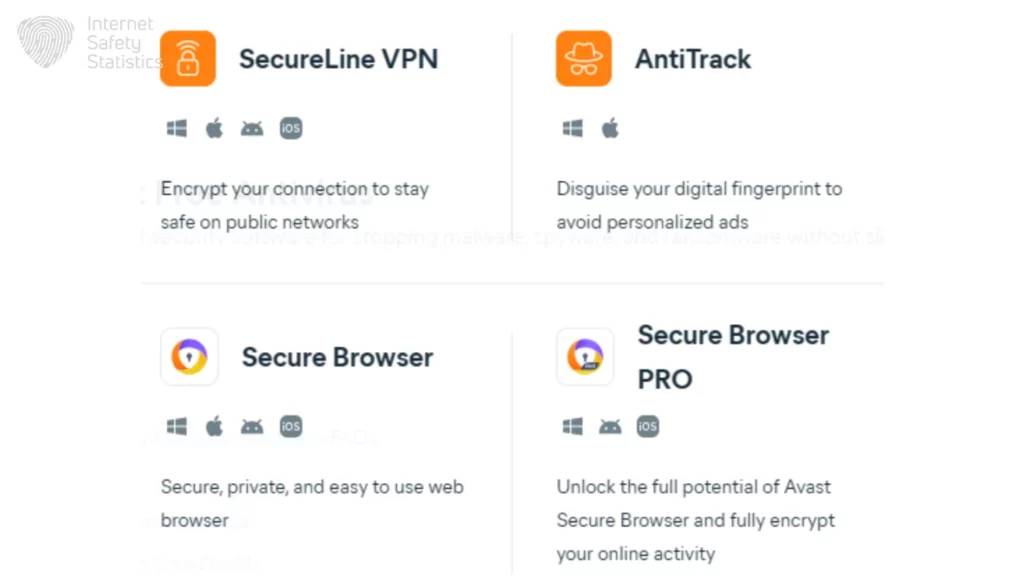
The Sandbox feature creates isolated virtual environments for testing suspicious files or running risky applications without endangering your main system. Avast’s password manager (premium feature) securely stores login credentials with military-grade encryption, generates strong passwords, and synchronises across devices. The SecureLine VPN component (included in Avast Ultimate) encrypts internet connections, particularly useful for UK users accessing public networks or seeking enhanced privacy.
Software Updater identifies outdated applications with known vulnerabilities and facilitates the installation of updates. Data breach monitoring (premium) alerts users if email addresses appear in known data breaches.
Spybot’s Specialised Tools
Spybot includes several system maintenance features. The System Repair tool addresses common Windows issues caused by malware infections, restoring registry entries, file associations, and system settings.
Secure File Shredder permanently deletes sensitive files using multiple overwrite passes, ensuring deleted data cannot be recovered. Startup Manager provides control over programmes launching during Windows startup, improving boot times whilst identifying potentially unwanted programmes.
The Professional edition adds a live protection monitoring system that changes in real-time, providing defensive capabilities closer to traditional antivirus software, though focused primarily on spyware.
Avast’s extensive feature set justifies a higher cost for comprehensive security. Spybot’s focused toolset serves specialised needs at a lower cost without attempting comprehensive protection.
System Requirements and Compatibility
Before installing any security software, it’s important to ensure it runs smoothly on your device. This section outlines the system requirements and compatibility of Avast and Spybot across different operating systems.
Avast System Requirements
- Operating System: Windows 10, 11 (32-bit or 64-bit), macOS 10.15 or later.
- Processor: Intel Pentium 4 / AMD Athlon 64 or equivalent.
- Memory (RAM): 1GB minimum, 2GB recommended.
- Hard Disk Space: 2GB available storage.
- Internet Connection: Required for cloud features and updates.
- Display: 1024×768 screen resolution minimum.
Avast offers mobile applications compatible with Android 6.0+ and iOS 14.0+, providing cross-platform protection.
Spybot System Requirements
- Operating System: Windows 7 SP1, 8, 8.1, 10, 11 (32-bit or 64-bit).
- Processor: 1 GHz or faster.
- Memory (RAM): 512MB minimum, 1GB recommended.
- Hard Disk Space: 200MB available storage.
- Internet Connection: Required for updates.
- Display: 800×600 screen resolution minimum.
Spybot focuses exclusively on Windows desktop systems, without versions for macOS, Linux, Android, or iOS.
Avast’s cross-platform support suits UK households managing multiple device types. Spybot’s lower system requirements make it ideal for older PCs or Windows-exclusive environments, though platform limitations prevent comprehensive household protection.
Privacy Policy and Data Handling

Privacy considerations play a significant role in the Avast vs Spybot comparison for UK users.
Avast’s Privacy Record and UK GDPR Compliance
Avast’s privacy history includes a 2020 controversy in which investigations revealed that Avast’s subsidiary, Jumpshot, had collected and sold anonymised user browsing data. Following scrutiny, Avast closed Jumpshot and implemented substantial privacy reforms.
Currently, Avast collects:
- Threat intelligence data to improve detection capabilities.
- Anonymised usage statistics for product improvement.
- Crash reports and diagnostic information.
- URL queries for web shield functionality.
UK users benefit from Avast’s UK GDPR compliance and ICO registration. Privacy settings enable granular control over data collection, allowing users to disable telemetry while maintaining core security functions. Avast’s privacy policy is updated quarterly and specifies data retention periods, processing purposes, and user rights in accordance with UK data protection law.
Spybot’s Privacy-First Approach
Spybot adopts minimal data collection aligned with UK GDPR data minimisation principles. The software operates primarily offline, with all scanning occurring locally without transmitting file information to cloud servers.
Limited data transmission occurs only during definition updates. Spybot does not collect browsing history, usage statistics, or personal information unless users explicitly enable optional feedback features.
Developed in accordance with German data protection standards, Spybot’s approach appeals to privacy-conscious UK users. The privacy policy explicitly states that no data is sold, no advertising partnerships are formed, and no behavioural tracking is conducted.
UK users prioritising privacy will find Spybot’s approach more aligned with data minimisation values. Avast’s reformed practices meet legal requirements and provide transparency, but cloud-dependent features inherently require more data transmission. For UK organisations with strict data protection requirements, Spybot’s minimal footprint may prove preferable; however, this comes at the cost of reduced protection capabilities, relying on cloud-based threat intelligence.
Pricing, Plans, and Value for Money
Pricing plays a crucial role in choosing reliable security software. This section compares Avast’s and Spybot’s plans, subscription models, and overall value for money based on their features and renewal costs.
Avast Pricing Structure for the UK Market
Avast offers multiple tiers:
- Avast Free Antivirus (£0.00)
- Core antivirus engine with real-time protection.
- Web and email shields.
- Wi-Fi security scanner.
- Includes promotional offers for premium features.
- Avast Premium Security (Single device: £39.99 first year, renews at £64.99 annually)
- All free features.
- Ransomware protection.
- Firewall.
- Advanced firewall.
- Sandbox environment.
- Webcam protection.
- Real-time data breach monitoring.
- Avast Premium Security (Up to 10 devices: £54.99 first year, renews at £84.99 annually)
- All Premium Security features across multiple devices.
- Cross-platform protection (Windows, macOS, Android, iOS).
- Avast Ultimate (£64.99 first year, renews at £109.99 annually)
- All Premium Security features.
- Avast SecureLine VPN included.
- Avast Cleanup Premium.
- Avast AntiTrack.
- Multi-device coverage.
Annual subscriptions renew automatically at standard pricing unless cancelled. Avast employs a two-tier pricing strategy with discounted first-year rates and higher renewal costs. UK users should note that prices include VAT at the standard 20% rate and should budget for the higher renewal price when evaluating long-term costs.
Multi-device bundles provide better value for UK households, protecting multiple computers, smartphones, and tablets. The 10-device Premium Security package (£54.99 for the first year, £84.99 for renewal) equates to approximately £5.49-£8.49 per device per year, significantly cheaper than individual subscriptions.
Spybot Search & Destroy Pricing
Spybot maintains a two-tier structure:
- Spybot Free Edition (£0.00)
- Complete malware scanning and removal.
- System immunisation.
- Manual updates.
- Community forum support.
- No time limitations or feature expiry.
- Spybot Professional Edition (Annual subscription pricing)
- All free features.
- Real-time protection (Live Protection).
- Automatic updates.
- Priority email support.
- Annual subscription model (approximately £22-£28 per year based on current USD pricing of $27.99).
Spybot operates on an annual subscription model for its paid edition, contrary to one-time purchase expectations some users may have. The Professional edition requires yearly renewal to maintain access to real-time protection features and automatic updates. This subscription approach aligns with industry standards but differs from historical perceptions of Spybot as offering permanent licences.
Value Analysis for UK Users
For comprehensive protection across multiple devices, the Avast Premium Security 10-device package (£54.99 for the first year, £84.99 for renewal) offers substantial value through unified management and cross-platform support. UK families with numerous devices benefit from the multi-device licensing model, though they should budget for the higher renewal price.
Spybot’s Professional edition (approximately £22-£28 annually) costs less than Avast’s single-device Premium Security but requires annual renewal rather than a one-time payment. Over five years, Spybot Professional costs approximately £110-£140 in total, compared to Avast Premium Security, which is £324.95 (£39.99 for the first year + £64.99 × 4 years), representing savings albeit with reduced functionality.
The pricing comparison reveals that both products now follow subscription models. UK users should evaluate the total cost of ownership over expected usage periods rather than focusing solely on first-year promotional pricing. Avast’s first-year discounts create attractive entry points, but renewal prices significantly affect long-term budgeting. Similarly, Spybot’s lower annual cost accumulates over time, though it provides substantially fewer features than Avast’s comprehensive suite.
Budget-conscious UK users might combine Spybot Professional (£22-£28 annually) with Windows Defender (included with Windows) to create a dual-layer security approach costing less than premium antivirus subscriptions, whilst maintaining adequate protection for typical home use scenarios.
Customer Support and Resources
Customer support can make a significant difference when dealing with security software issues. This section reviews the quality, accessibility, and helpfulness of Avast’s and Spybot’s support channels and resources.
Avast Support Channels
Avast provides multiple support avenues:
- Knowledge Base: Extensive online documentation in British English.
- Community Forum: Active user community with staff responses, typically within 24 hours.
- Email Support: Available for free users (48-72 hour response times).
- Phone Support: Premium subscribers access UK telephone support during business hours.
- Live Chat: Premium users can access real-time chat support.
Free version users rely primarily on community forums and knowledge base articles. Premium subscribers benefit from prioritised support and direct contact channels. The knowledge base includes video tutorials and troubleshooting wizards, though navigation can prove challenging.
Spybot Support Resources
Spybot offers:
- User Manual: Comprehensive documentation explaining features and procedures.
- Community Forum: Active user community with Safer-Networking Ltd moderation.
- Email Support: Professional edition users receive priority email support (24-48 hour responses).
- FAQ Section: Addresses common installation and functionality questions.
Free edition users access community forums and documentation, but lack direct email support. Telephone or live chat support is unavailable at any tier. Spybot’s support resources assume a greater level of technical familiarity, occasionally using technical terminology without providing layman’s explanations.
UK users prioritising responsive, multi-channel support should consider Avast Premium subscriptions. Spybot’s support model suits self-sufficient users comfortable researching solutions independently.
The Uninstallation Experience

Removing security software can sometimes be more troublesome than installing it. This section explores how smoothly Avast and Spybot handle the uninstallation process and what remnants, if any, are left behind.
Removing Avast Completely
Avast provides standard Windows uninstallation through Control Panel or Settings, though this occasionally leaves residual components.
For complete removal, Avast offers the Avast Clear utility:
- Download Avast Clear from Avast’s official support website.
- Boot Windows into Safe Mode.
- Run Avast Clear utility.
- Select your Avast product from dropdown menu.
- Click “Uninstall” (typically 2-5 minutes).
- Restart computer in normal mode.
This thorough removal prevents conflicts with new security software installations. Avast’s self-protection mechanisms can interfere with uninstallation attempts, requiring Safe Mode operation.
Removing Spybot Search & Destroy
Spybot can be uninstalled through standard Windows methods with minimal complications. The uninstallation wizard offers options to preserve or remove user settings.
Key considerations:
- Immunisation Removal: Select “Yes” to undo preventative blocks unless another security solution provides similar protection.
- Scheduled Tasks: The uninstaller removes these, but verify through Task Scheduler.
- Hosts File Modifications: The uninstaller reverses changes; manually checking hosts file confirms restoration.
Spybot rarely leaves problematic residual files. The software’s simpler architecture contributes to cleaner uninstallation compared to comprehensive security suites.
Both products provide adequate uninstallation mechanisms; however, Avast requires dedicated removal tools, while Spybot uninstalls cleanly through standard Windows processes.
Who Should Choose Which?
After examining all aspects of the Avast vs Spybot comparison, here are tailored recommendations for UK users.
Choose Avast If:
- You require comprehensive security covering multiple threat categories.
- You manage multiple devices across different platforms (Windows, macOS, Android, iOS).
- Your household includes less technically proficient users benefiting from intuitive interfaces.
- You frequently connect to public Wi-Fi networks requiring network security features.
- You can accommodate moderate system resource usage on modern hardware (post-2015 computers with 8GB+ RAM).
- You value cloud-based threat intelligence and real-time protection.
- Budget allows for annual subscriptions (£39.99-£109.99 yearly including renewal costs).
- You prefer telephone support access during security incidents.
Choose Spybot Search & Destroy If:
- You operate older Windows hardware (pre-2015 systems, limited RAM).
- You already maintain primary antivirus protection and seek supplementary scanning.
- Privacy concerns make you prefer minimal data collection and offline operation.
- You prefer lower-cost annual subscriptions (£22-£28 yearly) compared to comprehensive security suites.
- Your technical proficiency allows self-sufficient troubleshooting.
- You specifically need spyware and adware removal tools.
- You operate exclusively within Windows environments.
- Budget constraints prioritise cost minimisation whilst accepting functionality limitations.
When to Consider Alternatives:
- For Business Environments: UK small businesses should consider enterprise endpoint protection (ESET Endpoint Security, Sophos Intercept X) rather than consumer solutions.
- For Minimal Users: Individuals performing basic computing on modern Windows 10/11 may find Windows Defender sufficient.
- For Maximum Protection: Users handling highly sensitive data should consider premium security suites (Kaspersky Total Security, Bitdefender Total Security).
- For Legacy Systems: Users maintaining Windows 7 should prioritise system upgrades rather than relying on security software alone.
The Avast versus Spybot Search & Destroy comparison reveals two fundamentally different security philosophies serving distinct UK user needs. Avast provides comprehensive, modern protection suitable as a primary security solution, with cross-platform support, real-time threat detection, network security features, and accessible interfaces. Its first-year promotional pricing (from £39.99) offers attractive entry points, though users should budget for higher renewal costs (£64.99-£109.99 annually depending on tier). Its reformed privacy practices, UK GDPR compliance, and ICO registration address data protection concerns whilst maintaining effective cloud-based threat intelligence.
Spybot Search & Destroy excels in its specialised role: targeted spyware removal, system immunisation, and lightweight operation ideal for older hardware or supplementary scanning alongside primary antivirus protection. Its minimal data collection and lower annual subscription cost (approximately £22-£28 yearly) appeal to privacy-conscious UK users with specific requirements rather than comprehensive protection needs. However, both products now operate on subscription models, eliminating previous one-time purchase advantages some users may have expected from Spybot.
For most UK households with modern devices requiring robust, all-round protection across multiple platforms, Avast Premium Security (£54.99 first year for 10 devices, renewing at £84.99) or Avast Ultimate (£64.99 first year, renewing at £109.99) provides superior value when calculated per-device. The comprehensive feature set, regular updates incorporating latest threat intelligence, and multi-layered protection justify subscription expenses for typical home users facing evolving cybersecurity threats highlighted by NCSC advisories.
Conversely, UK users operating older Windows systems, seeking supplementary scanning tools, or prioritising budget constraints and privacy over comprehensive features will find Spybot Professional (£22-£28 annually) serves their specific needs effectively at lower cost. Combined with Windows Defender or other primary antivirus solutions, Spybot provides valuable specialised protection without the higher subscription commitments of comprehensive security suites.
Ultimately, effective cybersecurity extends beyond software selection. UK users should combine appropriate security tools with safe computing practices: regular system updates, strong unique passwords, cautious email and download behaviour, and awareness of current threats reported by NCSC and Action Fraud. The best security solution is one that matches your specific circumstances, technical capabilities, and threat exposure whilst remaining within budget constraints you can sustain long-term.