

Have you ever received an email that looked innocent, but when you read it thoroughly, you recognised it was a scam email requesting your financial information? Have you downloaded a file that turned out to include viruses? Cybercrime is not only about hacking systems and stealing financial information. It comes in many forms, including cyberstalking, identity theft, and spoofing.
Cybercrime is any malicious activity that uses or/and targets computers, network devices, and networks. It causes annoyance and inconvenience for the victim and may threaten their financial stability and life safety. In the following lines, we will introduce the most common types of cybercrime and how to protect yourself against cybercrime.
Common Types of Cybercrime
So long as technology continues to evolve, cybercrime will be increasing, with new threats surfacing every year. Nowadays, there are various types of cybercrime, ranging from infecting computers with viruses to copying intellectual property. To know how to protect yourself against cybercrime, it is necessary to recognise its most common types.
1. Hacking
The most common type of cybercrime is hacking. Hackers identify security vulnerabilities in a digital device, a system, or a network and take advantage of them to gain unauthorised access to sensitive data. It has various techniques, including but not limited to the following:
Phishing
Phishing is the most common hacking technique. It is a fraudulent practice where hackers attempt to steal your personal or financial data. It occurs when you receive an email that seems to be from a reputable company with an innocent-looking link. Once you click it, you find this link is malicious and installs viruses or malicious programs into your computer or network, causing harm.
Fake W.A.P.
Fake W.A.P. is another hacking technique. Without any special hacking skills, it occurs in public spaces with free Wi-Fi. The hacker gives the wireless access point (W.A.P.) an apparently-genuine legitimate name to fool you.
The hacker connects the fake W.A.P. to the official W.A.P. of the public space. Then, s/he jams or deauthenticates the local Wi-Fi signal, forcing you to connect to the fake W.A.P. they have just set up. Once connected, they can access your data, steal your login credentials, and completely control your device.
DoS/DDoS Attacks
Common hacking techniques may also include the Denial of Service (DoS) and the Distributed Denial of Service (DDoS) Attacks. Hackers flood the server or its surrounding infrastructure with traffic or data requests using zombie computers and botnets. They aim to disrupt normal traffic, triggering a website crash.
Cookie Theft
Cookie theft or cookie scraping is another hacking technique. It occurs when you access a trusted website using an unsecured Wi-Fi network. It may also occur when you access a website with no SSL (Secure Socket Layer) certificate. These websites begin with HTTP:// “without an S.” Websites that begin with HTTPS:// “with an S” are secure.
The cookies in your browser are extremely important because websites rely on them to store your personal information, i.e. your login credentials for the different websites you access and your browsing history. That’s why hackers steal your cookies. Once they steal your sensitive information, they can perform malicious activities.
Keylogger
One of the common hacking techniques is keylogging or keystroke logging. A keylogger is an active-monitoring software that records every keystroke. It captures all the keystrokes on your keyboard, like your usernames and passwords, credit or debit card numbers, and the web pages you visit, revealing your personal and financial information.
2. Cryptojacking
Cryptojacking occurs when a cybercriminal accesses your computer, smartphone, tablet, or other devices without your knowledge, mining for cryptocurrencies (digital currencies like Bitcoins) within your browser. Almost all cryptojacking attacks use JavaScript. The used crypto-jacking scripts or codes do not damage your data. They only slow down your internet connection and the performance of your device.
Cryptojacking occurs when you receive a legitimate-looking email asking you to click an innocent-looking link. When you click this link, it installs crypto-mining software that loads a crypto-mining code on your device. A cybercriminal may also infect a website or an online advertisement with JavaScript code. Once you access the website or click on the advertisement, this code auto-executes to mine for cryptocurrencies.
3. Identity Theft
Identity theft is a fraudulent action where the fraudster obtains your personal and financial data to commit fraud. They then may use your identity to apply for a loan or a new credit card to make unauthorised purchases or transactions. They could also obtain free medical care with your stolen credentials.
4. Child Pornography
Child pornography is also among the common types of cybercrime. Also known as CSAM (Child Sexual Abuse Materials), child pornography is a legally-known term which is a form of child sexual exploitation. It is any written material and visual representation that depicts sexually explicit activities with a child (someone under 18). Visual depictions include photos, recorded videos, live-streaming, and digital or computer-generated images.
5. Spoofing
Spoofing occurs when a cybercriminal pretends to be a trusted contact or source for the purpose of downloading malware to your computer or stealing your data and money. It has two types:
Website Spoofing
Website or domain spoofing is the act of creating a replica of a trusted website of a legitimate company or person. The spoofed website uses a similar URL to fool users and mislead them into a fake website. To look realistic, the spoofed website adopts the same fonts, colours, logos, and functionality of the original website.
Email Spoofing
The other type is called email spoofing. It starts when you receive an email that seems to be from a well-known, trusted website. This email may redirect you to a malicious link that installs viruses or malware on your device. Alternatively, the cybercriminal may ask you in the email to provide sensitive personal or financial data.
6. Credit Card Fraud
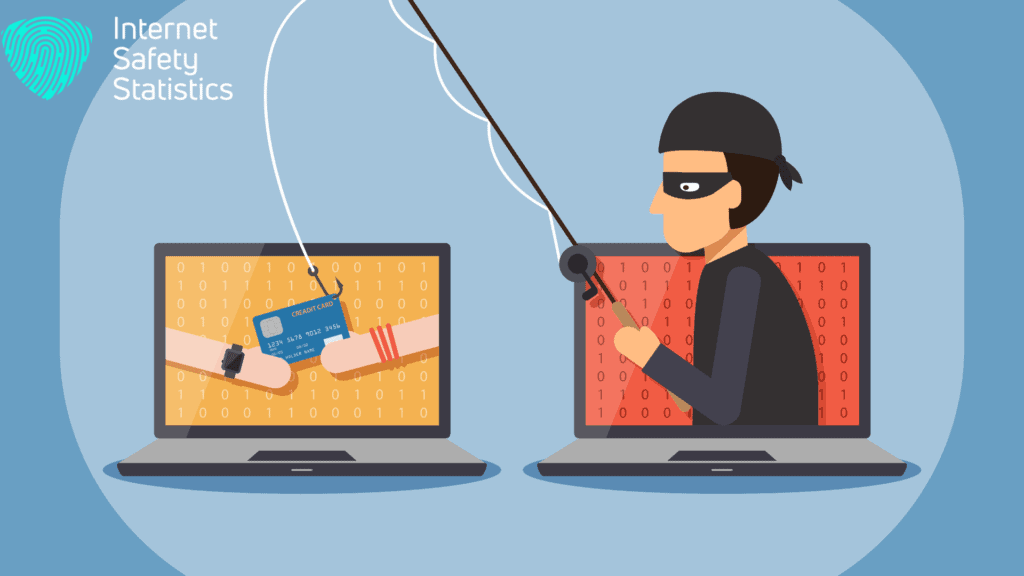
Credit card fraud occurs when a cybercriminal steals your credit/ debit card numbers from unsecured websites and then sells them on darknet markets on the dark web. Alternatively, they might steal your financial and personal information and apply for a new credit or debit card. Their purpose is to obtain money and property illegally.
7. Malware
Malware is another common type of cybercrime. As a portmanteau word for malicious software, it involves an intrusive, disruptive, and invasive file or software developed by cybercriminals. They use it to intentionally wreak havoc on your software or hardware and track your online activities.
Malware threats the privacy and security of your computer. It can disrupt normal computer operation and gain unauthorised access to systems and private information. It can also disrupt servers and networks and increase network traffic, making your files and information inaccessible.
Malware can be transmitted through instant messages (IM), misleading websites, phishing emails, and other methods. It has several types, including but not limited to the following:
Viruses
The most common type of malware is a computer virus. You might install this computer program if you click on a malicious link and/or download an infected file. It modifies other computer programs and inserts its code to replicate itself. After the replication, the virus can damage the device, stopping it from working or deleting/ stealing data.
Worms
Like viruses, computer worms are designed to spread; however, they have different methods. Viruses spread when you download or use infected software, while worms spread without your interference.
A computer worm is a standalone self-replicating program. It replicates itself with the help of USB drives, computer networks, emails, and security vulnerabilities. Then, it infects other computers, using a computer network as a host to find other machines with security holes and spread copies of itself.
Trojans
A Trojan horse is similar to the infamous Greek trick. Although it appears to be helpful, it is a common hacking technique where you will not feel your computer is infiltrated. Opening a backdoor into your computer, a trojan allows the hacker to steal your data, lock your files, or cause any harmful actions to your computer or network.
Rootkits
Like a Trojan horse, a rootkit is a collection of malicious software that masks its existence within an infected system. It enables hackers to remotely access your computer, steal your data, and do other harmful activities while they are unnoticed by anti-malware and antivirus software programs.
Ransomware
Ransomware is a tool that exploits weaknesses in cybersecurity by penetrating systems and computers and denying access to your files and systems. Cybercriminals encrypt or block your files and then offer to decrypt them after receiving a ransom payment. They may also threaten to publish your sensitive data if they do not receive the payment.
Adware
Adware is advertising-supported software that displays advertisements on your computer. However, it sometimes refers to malicious software that shows flashing pop-up advertisements on your screen. It may also change your home screen and disrupt your network access. Some adware can track your online activities to send you targeted advertisements.
Scareware
Scareware is another form of malware. Using social engineering to take advantage of your fear, this cyberattack tactic manipulates and coaxes you into visiting spoofed websites or buying/downloading malicious, useless software, i.e. fake antivirus. It usually comes in the form of pop-up advertisements that spreads through spam emails or appears on your computer out of the blue.
Spyware
Spyware installs itself without your knowledge. It gives hackers unauthorised access to your computer or digital device to collect your sensitive information and give it to a third party without your consent. It also monitors your online activities and data for commercial purposes. On top of that, it causes pop-ups, disruption of normal computer operations, redirection to inappropriate sites, or slowness of your computer.
8. Cyberstalking
Cyberstalking is the act of harassing or stalking an individual, an organisation, or a group through the use of the internet and digital devices. It may involve defamation, false accusations, doxxing, monitoring, libel, or blackmail. Its main purpose is to control or intimidate the victim.
9. Cyberterrorism
Another type of cybercrime is cyberterrorism. Converging cyberspace and terrorism, it is an illegal cyberattack that targets computers, networks, systems, and online stored data. Its purpose is to conduct violent acts that threaten or significantly harm human bodies. It may also result in the loss of life. Their main goal is to achieve political, social, or ideological gains by threatening or intimidating the target population.
10. Cybervandalism
Regardless of motive or identity, cybervandalism involves any damage or destruction that takes place on the internet where cybervandals aim to steal sensitive information or intellectual property. It has several types:
• Defacing a vulnerable website by changing its look, function, or data.
• Creating malware to damage electronic files or interrupt their normal utilisation.
• Removing a disk drive and damaging computer hardware to disable a system.
10 Tips on How to Protect Yourself Against Cybercrime
Cybersecurity is of great importance at home to protect your personal and financial data as well as protecting your children from cyberbullying and child pornography. However, ensuring full internet security and completely preventing cybercrime is not possible. Here are 13 useful tips to protect yourself against cybercrime, along with your children.
1. Protect Your Laptop and Desktop Computers
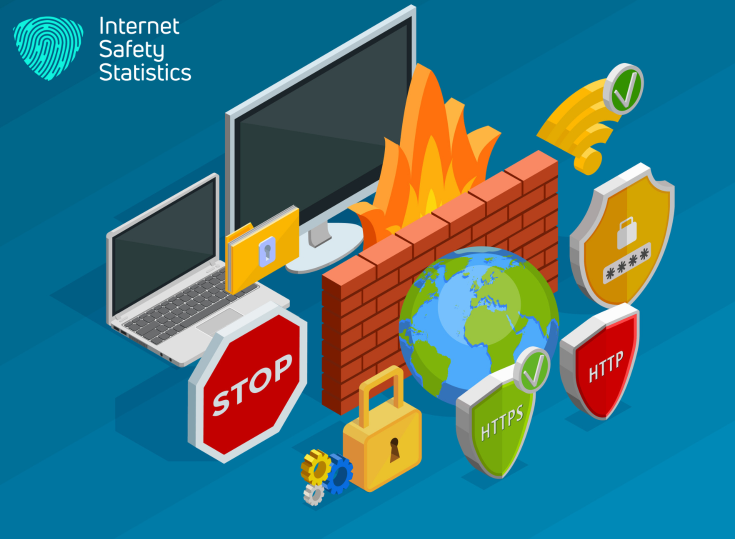
The most important tip for protecting your computers against malware and cyberattacks is installing security software, i.e. firewalls and antivirus programs. They are crucial for basic online security. Antivirus (AV) software is a computer program that is essential in your security strategy. It prevents, scans, detects, and takes action against viruses, worms, keyloggers, and other malicious software on your computer.
On the other hand, a firewall is the first line of defence on your computer. It is a network security device that controls and monitors internet traffic within a private network based on predetermined security policies. It also prevents malware from accessing your computer or network through the internet and shields your computer or network from malicious network traffic.
2. Keep Your Computers Up to Date
Keeping your computers up to date is also critical to protect yourself against cybercrime. Outdated and unpatched software and hardware make it easy for cybercriminals to attack your computers. So, you should always install recent patches and updates to your computers once they are available because they fix the vulnerabilities of the software. It is worth mentioning that updating your software and hardware should only be done from reliable sources.
3. Secure Your Smartphones and Tablets
Smartphones and tablets also require security software. Suppose someone installed malware on your device to track your movement through your GPS. In this case, security software is crucial for protecting your devices and personal information.
To protect your smartphones and tablets, never download applications from unknown sources. It is also essential to have an up-to-date operating system on your devices. Using a secure lock screen can also help in protecting your sensitive data.
4. Create Strong Passwords
Using a password that is the same as a username is easy to crack. Weak passwords also use easy combinations (i.e. May1988) or keyboard patterns (i.e. qwerty or poiuy). They may also be default passwords (i.e. admin), personal information (i.e. birthdays or names of friends), or a repeated/ series of characters (i.e. CCCCC or ABCD).
Hackers can easily crack weak passwords by executing certain attacks using a subset of all possible passwords. So make sure you create a strong password for each account and do not use one password across multiple accounts.
5. Protect Your Identity
Always protect your identity when you are online by not inserting your personal or financial information if you want to purchase a product online. First, ensure the website you access is secure. Next, make sure to enable your privacy settings when you access this website. Then, complete online transactions.
6. Be Social Media Savvy
Know how to use social media platforms correctly by checking the security settings of each platform. If you share posts or links from unknown sources, check that they are not fake to avoid getting into trouble. In addition, do not plagiarise other people’s work. Instead, create your own piece, whether it is written or visual, and show your talents, skills, and abilities.
7. Monitor Your Children
It is your responsibility to protect your children from cyberbullying, child pornography, and other cybercrimes. Always keep an eye on all the activities they are doing on the internet. You should set up parental controls in mobile applications and browsers by monitoring browser history, online games, and email accounts and giving them access to secured content only.
8. Backup Your Data Regularly
Backup is also essential to reduce the damage caused by cybercrime, power failures, system crashes, malware infection, etc. It is the process of creating and storing a copy of your data on a system at least every week or 24 hours for recovery. This process protects your important files from inevitable data loss and saves time and money.
9. Use Two-Factor Authentication
Another way that helps reduce cybercrimes is to use the electronic authentication method, Two-Factor Authentication (2FA). You gain access to an account, a website, or an application if you enter your credentials. With the use of 2FA, you will not gain immediate access. Instead, you are required to provide another piece of evidence to an authentication mechanism to prove that the one who tries to gain access is a legitimate user.
10. Seek Help From the Right Person
If you are not an expert in Information Technology (IT), just call for help. IT security specialists are there to provide you with cybersecurity solutions and policies to protect your business and personal computers.
Building an information security team to develop and implement a clear security policy is crucial in business. However, in your home, you can consult an IT security expert to provide quick solutions.
If you, your child, or your business encounter illegal online activities, do not panic! Report any cybercrime to the cyberpolice immediately, and a cybercrime investigation will begin.
In a Nutshell
It is impossible to prevent cybercrime, but you can reduce it. Now that you have recognised the most common types of cybercrime, you will be able to take precautions to help protect yourself against cybercrime, as well as protecting your children.