


The internet we navigate daily is just the tip of the iceberg. Beneath the surface lies the deep web, a vast content not indexed by traditional search engines. A smaller subset of the deep web is the dark web, a network of websites designed to operate anonymously. Accessible only through specialized software, the dark web attracts users seeking privacy and harbours a hidden underbelly of illegal activity.
While the dark web offers legitimate uses for journalists, whistleblowers, and citizens in oppressive regimes, the potential dangers are undeniable. Criminal activity thrives in this anonymous environment, with marketplaces offering illegal goods and services like malware, stolen data, and even weapons. Furthermore, the dark web is a breeding ground for cyber threats like phishing scams and identity theft.
Understanding the risks associated with the dark web is crucial for online safety. For most users, venturing into the dark web is unnecessary and potentially hazardous. However, if your curiosity is piqued, essential safeguards are paramount. Using a trusted VPN encrypts your internet traffic, while robust antivirus software protects against malware infections. Most importantly, avoiding the dark web remains the most effective way to mitigate the associated risks.
This guide delves deeper into the dark web, exploring its characteristics, potential dangers, and essential safety measures. Understanding the dark web and prioritizing online security allows you to navigate the digital landscape more confidently and minimise exposure to potential threats.
Stay safe out there!
Understanding the Dark Web
The Dark Web is a hidden part of the internet that is not indexed by search engines and requires special software to access. It differs from the Surface Web (what most people use) and the Deep Web (unindexed pages accessible through standard browsers).
Definition and Comparison to the Surface Web and Deep Web
Imagine the internet as an iceberg. Most of us only interact with the tip, which is called the Surface Web. This part includes all the websites that search engines can find and index, such as news sites or your favourite online stores. It’s accessible through any web browser and forms just a small part of the internet.
Below this layer lies the Deep Web, comprising pages not indexed by search engines. These include private databases, academic journals, and members-only websites. You need permissions or specific links to access them—they’re hidden but not inherently suspicious.
A murkier zone known as the Dark Web is separate from these layers. Special software like Tor provides entry into this segment of cyberspace where anonymity reigns supreme due to complex encryption techniques.
While it shelters political dissidents seeking refuge from censorship, cybercriminals also exploit its obscurity for illegal activities. As we delve deeper into how one accesses this shadowy realm, remember that navigating it safely requires caution and awareness of potential cybersecurity risks lurking behind its encrypted doors.
The History and Purpose of the Dark Web
The Dark Web, created in the 1990s by the US Navy, aimed to provide a secure and anonymous way of communicating sensitive information. Its original purpose was to protect government communications from espionage and censorship.
Over time, it grew into a network that allowed individuals to browse anonymously and access sites not indexed by search engines. This anonymity also made it attractive to cybercriminals and threat actors engaging in illegal activities.
As internet users become more aware of online privacy concerns, understanding the history and purpose of the Dark Web is crucial. Individuals must comprehend its evolution from a tool for safeguarding sensitive data to an environment ripe with cyber threats.
Accessing the Dark Web
One can use special software like Tor to browse hidden services to access this network. The Dark Web holds various content and activities, including forums, marketplaces, and illegal goods and services.
How to Access the Dark Web
Users can use special software like Tor to access the Dark Web, allowing anonymous browsing. This is a crucial step in ensuring online anonymity and privacy protection. Here are some detailed steps to follow:
- Download and install the Tor browser from the official website.
- Connect to the internet and launch the Tor browser.
- Once opened, users can access .onion websites by entering the URL into the browser’s address bar.
- Ensure all other applications potentially compromising anonymity are closed while browsing the Dark Web.
- Use a VPN (Virtual Private Network) alongside Tor for an added layer of security and anonymity.
- Avoid downloading files or clicking on unknown links to prevent exposure to malware and scams.
- Regularly update both Tor browser and antivirus software to protect against potential threats.
- It’s crucial to remember that while accessing the Dark Web, users may encounter illegal content or activities, so it’s essential to browse cautiously and responsibly.
Activities and Content Found on the Dark Web
This web has darknets and hosts a range of illicit activities, including the sale of stolen personal information, credit card details, and hacking tools. It also serves as a marketplace for illegal drugs, firearms, and counterfeit currency transactions. Moreover, disturbing content such as child exploitation material and extreme violence can be found on certain hidden websites within the dark web network.
For many individuals who work in high-risk professions or live in politically repressive countries, the dark web provides an anonymous space to communicate securely without fear of surveillance or persecution. However, it is important to note that while there are legitimate uses of the dark web, its unregulated nature makes it a haven for criminal activity.
Risks of the Dark Web
Illegal activities, malware, government monitoring, scams, and exploitation are major risks to this network, shrouded in mystery. This dark network is the ideal environment for all illicit activities and illegal dealings.
Illicit Marketplaces and Illegal Activities
The dark network harbours illicit marketplaces where illegal goods and services are traded, ranging from drugs, weapons, stolen data, and counterfeit currency to malicious software. Cybercriminals exploit the cloak of anonymity to facilitate transactions and organise criminal activities.
Additionally, it provides a platform for human trafficking and other heinous acts. Law enforcement agencies continually monitor the dark web for such criminal endeavours, but the anonymous nature poses ongoing challenges in combating these illegal activities.
Internet users must be aware of the prevalence of illegal activities on the dark network as they impact overall cybersecurity. Taking proactive measures to safeguard personal information becomes crucial amidst digital fraud and cybercrime.
Malware and Government Monitoring
Malware poses a significant threat to the dark network, with cybercriminals using tools like keyloggers to steal sensitive information from unsuspecting users. Antivirus software prevents such attacks by blocking malicious websites and scanning downloads for risky programs. Furthermore, government bodies and law enforcement agencies actively monitor it to combat illegal activities and protect internet users from potential harm.
Internet security is paramount as individuals navigate the online landscape, especially when accessing the mysterious world of the dark web. Keeping personal information safe from malware and understanding that government monitoring exists can help users stay vigilant against potential threats.
Scams and Exploitation
The dark web harbours numerous scams and exploitative activities that can pose significant risks to unsuspecting users. Individuals are at risk of falling victim to identity theft, financial fraud, and phishing schemes on the dark web, where their personal information is readily available for purchase.
In addition, malware-infected users are susceptible to data theft through tactics like keyloggers that covertly gather sensitive information without their knowledge. Internet users must be aware of these threats and take preventive measures, such as using reputable antivirus software to block malicious websites and scan all downloads for potential risks. Moreover, staying informed about web browsing safety practices is essential in protecting oneself from scams and exploitation.
Online safety remains a pressing concern amidst the prevalence of illicit activities and exploitative schemes on the dark web. Parents must educate themselves about the risks associated with the dark web to safeguard their children from potentially harmful content or interactions online.
Safety Measures for Navigating the Dark Web
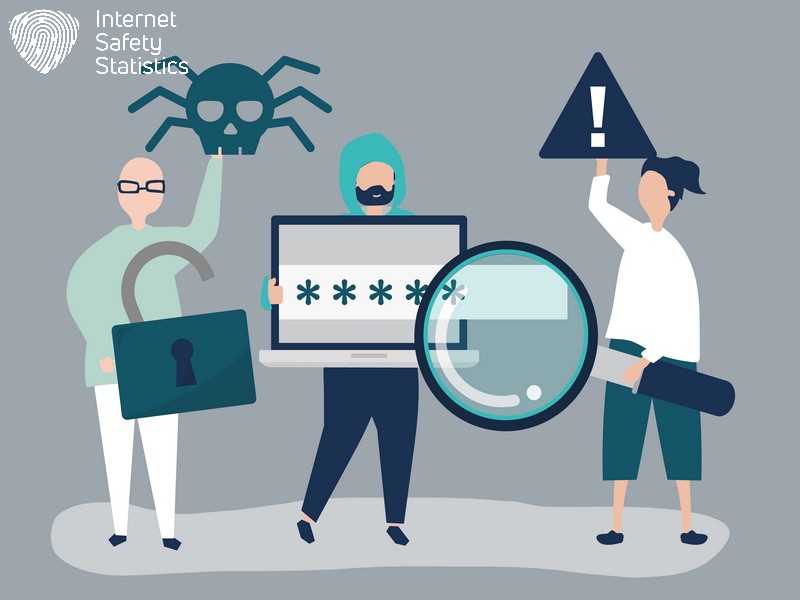
When accessing the Dark Web, using tools like Tor and VPNs for anonymity is important. Be cautious of phishing scams and avoid sharing personal information to protect yourself from potential risks.
Tips for Safe Access
The most notable safe access tips include using a VPN to put a veil on your real IP address. There are several other secure browsers, such as Tor Browser, where you can activate your antivirus agent’s monitoring to keep you safe when accessing the dark web. You can consider using encryption methods to scramble messages or data encryption methods to encrypt data at rest and in transit. Here are some other tips to consider:
- Use a reliable virtual private network (VPN) to conceal your online activity and protect your identity from potential surveillance and tracking.
- Employ strong and unique passwords for all accounts, especially those accessing the Dark Web, to fortify your security against unauthorised access.
- Regularly update your antivirus software to detect and eliminate malicious programmes that may compromise your online safety while exploring the Dark Web.
- Exercise caution when interacting with unknown individuals or websites to mitigate the risk of falling victim to scams or exploitation.
- Utilise encrypted messaging platforms that offer end-to-end encryption to safeguard your communications and sensitive information from interception.
- Refrain from sharing personal details and avoid disclosing any identifiable information that could compromise your privacy or expose you to potential threats.
- Stay informed about emerging online risks and stay vigilant in identifying potential threats that could jeopardise your safety while navigating the Dark Web.
- Familiarise yourself with reputable resources and reliable forums where you can find guidance on safe browsing practices and receive support from experienced users.
- Consider using reputable dark web scans, which can provide insights into potential security breaches and help identify any compromised personal information on the dark web.
- Educate yourself on internet security practices by staying updated on industry developments, security measures, and emerging threats to enhance your online safety posture.
Protecting Personal Information and Staying Vigilant
When accessing the dark web, protecting personal information is crucial. Utilise tools like dark web scans and antivirus software to prevent identity theft and financial fraud. Be cautious of malware-infected websites and ads which may compromise your data.
Staying vigilant on the dark web means being aware of potential threats and scams. Regularly monitor your online accounts for suspicious activity and avoid sharing personal details with unknown sources. Stay informed about common schemes used by cybercriminals to protect yourself from exploitation.
Utilising Tools such as Dark Web Scans
Antivirus software is crucial in safeguarding against potential threats to the dark web. By regularly running malware scans, individuals can detect and eliminate malicious programs that may have infiltrated their devices. These scans provide an extra layer of protection by identifying and removing dangerous files that could compromise personal information or lead to fraudulent activities.
To enhance online safety, tools like dark web scans help proactively detect and counter potential risks posed by the hidden dangers of the dark web. With regular antivirus checks, internet users can mitigate the threat of identity theft, financial fraud, and other malicious activities prevalent on this secretive part of the internet.
The Importance of Understanding the Dark Web
Understanding the Dark Web is crucial for safeguarding personal information and protecting against threats. With an elevated risk of identity theft and financial fraud, individuals need to be aware of the dangers lurking in the shadows of the internet. By knowing how cybercriminals operate under the cloak of anonymity, people can take necessary precautions to protect themselves from malicious activities such as information theft and malware attacks.
For office workers and parents, understanding the Dark Web is essential for educating younger generations about online safety and privacy. By being informed about the potential risks associated with accessing illicit content or marketplaces on this web, individuals can better protect themselves and their families from falling victim to scams or exploitation.
Staying Informed and Taking Precautions for Online Safety.
Understanding the importance of navigating the Dark Web safely is crucial for all internet users. Whether you’re a concerned parent, a cautious office worker, or someone who wants to protect your online security, staying informed about potential risks and taking proactive precautions are essential.
It’s crucial to be aware that the dark web poses an elevated risk of identity theft and financial fraud due to leaked personal information. Furthermore, preventive measures like antivirus software can help block malicious websites and detect risky programs, protecting against potential threats.
Utilising tools such as thorough scans and being vigilant about protecting personal information are also key safety measures for anyone accessing the dark web. For parents worried about young people visiting these platforms due to dangerous or illegal activity associations, it’s important to educate them on online safety best practices.
Understanding the risks and safety measures for navigating the Dark Web is crucial in today’s digital age, so stay informed and take precautions for online safety.