

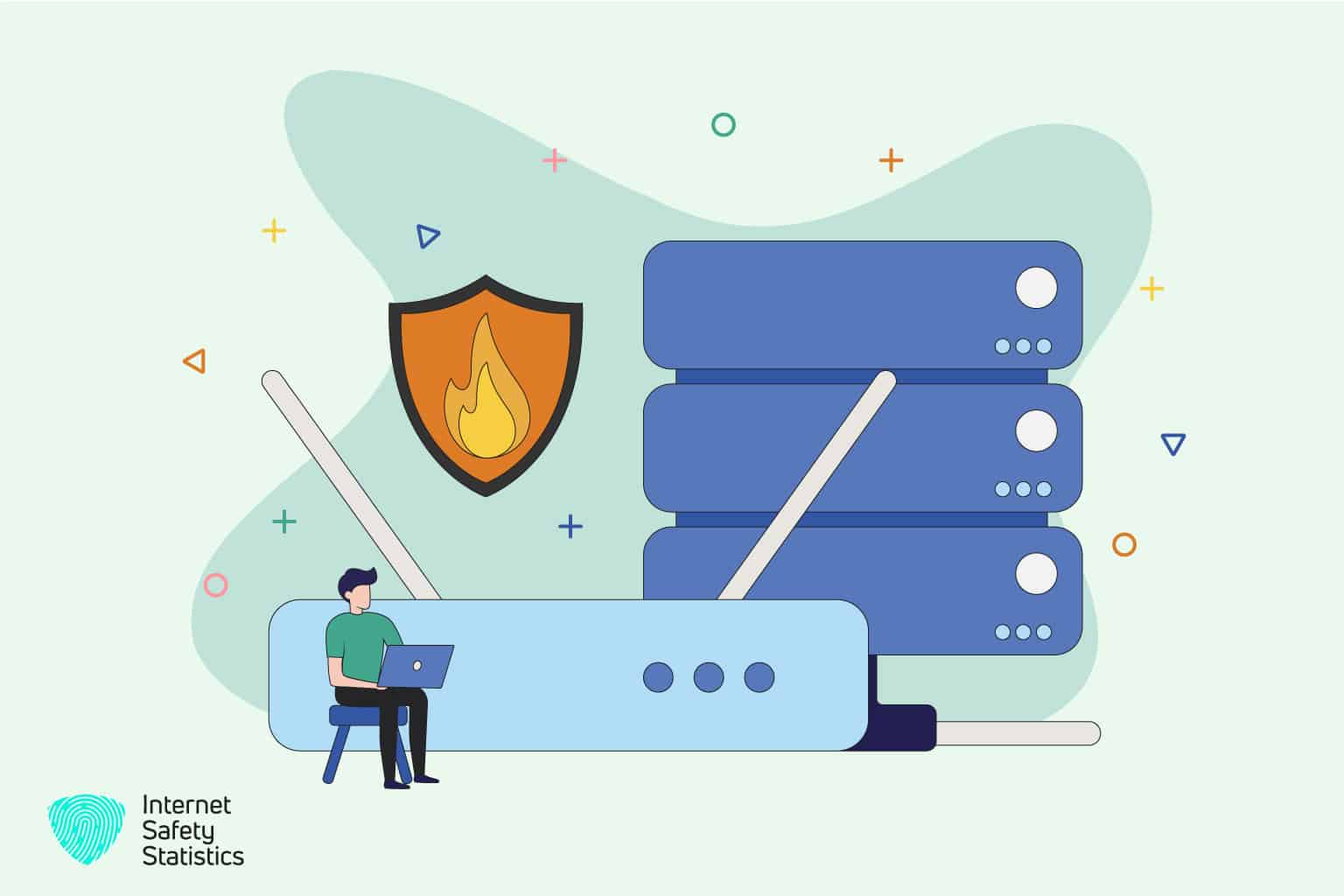
A crucial component of a robust network security setup is a firewall router. A firewall router is the first defence against unauthorised access attempts, malicious attacks, and data breaches. By intelligently filtering network traffic and enforcing security policies, firewall routers provide an essential layer of protection for homes, businesses, and organisations.
Understanding the critical aspects of a firewall router and choosing the right one can significantly enhance your network’s defence against cyber threats. So, let’s explore the world of firewall routers and find the best solution to safeguard your digital assets.
What are Firewall Routers?
A firewall router is a networking device that combines the functionality of a traditional router with robust firewall capabilities. While regular routers focus primarily on routing data packets between different networks, firewall routers provide an additional layer of security by inspecting and controlling network traffic.
At its core, a firewall router acts as a gatekeeper, monitoring incoming and outgoing network traffic and applying predefined security policies to determine which packets are allowed or blocked. It does this by examining various attributes of the boxes, such as source and destination IP addresses, port numbers, and protocols. By applying rules and policies, firewall routers effectively filter out potentially malicious or unauthorised traffic, ensuring that only legitimate and trusted connections are established.
In addition to packet filtering, modern firewall routers offer a range of advanced security features. These may include intrusion detection and prevention systems (IDS/IPS), virtual private network (VPN) support, deep packet inspection (DPI), content filtering, and more. These features enable firewall routers to detect and block various threats, such as malware, viruses, spam, and suspicious network activities.
Furthermore, firewall routers often provide granular control over network traffic, allowing administrators to define specific rules for different types of connections. For example, you can create rules to prioritise particular traffic, restrict access to certain websites or services, or establish secure relationships for remote access.
By combining routing functionality with robust security features, firewall routers provide a comprehensive solution for network security. They offer peace of mind by protecting your network from unauthorised access, data breaches, and potential cyber-attacks.

How to choose the right Firewall Router?
Several crucial factors must be considered when selecting a firewall router for your network. These factors ensure the firewall router meets your requirements and provides security features. Here are some key considerations:
- Performance and throughput capabilities: Evaluate the firewall router’s processing power, speed, and throughput performance. Consider the maximum data transfer rates it can handle, especially if you have a high-bandwidth network or anticipate heavy traffic.
- Security features and protocols supported: Assess the range of security features and protocols offered by the firewall router. Look for features such as stateful packet inspection, VPN support (IPsec or SSL), intrusion detection and prevention systems (IDS/IPS), antivirus and malware protection, content filtering, and application-level gateways. The more comprehensive the security features, the better protected your network will be.
- Ease of use and user-friendly interface: Consider the usability and user interface of the firewall router. Look for intuitive management interfaces that make configuring and monitoring the router’s security settings easy. A user-friendly interface can save time and minimise the learning curve for managing the firewall router effectively.
- Scalability and expandability options: Evaluate the scalability of the firewall router, especially if you anticipate future network growth. Consider whether the router supports additional features or modules that can be added as your network requirements evolve. This flexibility ensures that your firewall router can adapt to the changing needs of your network.
- Compatibility with your network infrastructure: Ensure the firewall router is compatible with your existing network infrastructure, including your modem, switches, and other networking devices. Verify the compatibility of protocols, such as IPv4 or IPv6, and any specific network environment requirements.
- Price range and value for money: Consider your budget and compare the prices of different firewall routers. Remember that the cost should be balanced with the router’s features, performance, and security capabilities. Look for a firewall router that provides the best value for your needs.
By carefully considering these factors, you can select a router that meets your security requirements, aligns with your network infrastructure, and offers the necessary performance to protect your network effectively.
Top Firewall Routers on the Market
These are some of the best firewall routers on the market right now, according to our reviewers.
Cisco ASA 5500-X Series firewall router
The Cisco ASA 5500-X Series is a flagship router from Cisco Systems, a leading name in networking solutions. Designed to provide robust security for medium to large networks, this router offers a comprehensive suite of features tailored to enhance network security.
Key Features and Specifications:
- Advanced Threat Defence: Provides real-time threat detection and protection against advanced malware and attacks.
- VPN Support: Offers secure remote access through site-to-site and remote access VPN connections.
- High Availability: Ensures uninterrupted network operation with failover capabilities and redundancy options.
- Application Visibility and Control: Enables deep packet inspection and granular control over applications and protocols.
Performance Benchmarks and Throughput:
- Throughput: Offers high-performance throughput ranging from 1 Gbps to 15 Gbps, depending on the model.
- Performance Benchmarks: Independent tests have shown excellent performance and stability under heavy loads.
Supported Security Features, Protocols, and Advanced Functionalities:
- Security Features: Supports stateful packet inspection, intrusion prevention system (IPS), and advanced malware protection.
- Protocols: Provides support for IPsec, SSL/TLS, and other industry-standard protocols.
- Advanced Functionalities: Includes VLAN support, load balancing, and Quality of Service (QoS) capabilities.
User Reviews and Ratings:
- Strengths: Users praise the robust security features, excellent performance, and reliability of the Cisco ASA 5500-X Series.
- Weaknesses: Some users mention that the configuration can be complex, requiring expertise or technical support.
Pricing and Availability:
- Price: The Cisco ASA 5500-X Series ranges from $1,000 to $30,000, depending on the model and additional features.
- Availability: Widely available through authorised Cisco resellers and networking equipment providers.
Fortinet FortiGate Series
The Fortinet FortiGate Series is popular among organisations seeking comprehensive network security solutions. With a wide range of models catering to different network sizes, this router provides robust security features and advanced functionalities.
Key Features and Specifications:
- Unified Threat Management (UTM): Offers consolidated security services, including antivirus, web filtering, and intrusion prevention.
- Application Control: Provides granular control over applications and user access to ensure optimised network performance.
- Scalability: Scalable solutions accommodate small offices to large enterprise networks.
- FortiGuard Security Services: Includes real-time threat intelligence and updates to keep up with evolving threats.
Performance Benchmarks and Throughput:
- Throughput: Provides varying throughput capacities, ranging from 500 Mbps to 1 Tbps, depending on the model.
- Performance Benchmarks: Independent tests demonstrate high performance, especially in handling encrypted traffic.
Supported Security Features, Protocols, and Advanced Functionalities:
- Security Features: Offers advanced threat protection, SSL inspection, and sandboxing to detect and prevent emerging threats.
- Protocols: Supports IPsec VPN, SSL/TLS, and other security protocols.
- Advanced Functionalities: Includes WAN optimisation, load balancing, and virtualisation capabilities.
User Reviews and Ratings:
- Strengths: Users appreciate the Fortinet FortiGate Series’s extensive security features, ease of management, and scalability.
- Weaknesses: Some users mention occasional software stability issues and the need for firmware updates.
Pricing and Availability:
- Price: The Fortinet FortiGate Series ranged from $500 to $100,000, depending on the model and desired features.
- Availability: Available through authorised Fortinet partners and resellers worldwide.
Juniper Networks SRX Series
The Juniper Networks SRX Series offers enterprise-level security solutions with advanced features and high-performance capabilities. Known for its reliability and scalability, this router suits medium to large networks.
Key Features and Specifications:
- Dynamic Threat Intelligence (DTI): Provides real-time threat detection and automated security policy updates.
- Virtualisation: Enables virtual firewall instances, allowing network segmentation and enhanced security.
- Network Address Translation (NAT): Supports NAT functionalities, allowing translation between public and private IP addresses.
- Junos OS: Features Juniper’s renowned operating system, known for its robust security and flexibility.
Performance Benchmarks and Throughput:
- Throughput: Offers throughput capacities ranging from 1 Gbps to 100 Gbps, depending on the model.
- Performance Benchmarks: Demonstrates consistent performance and stability, even under heavy traffic loads.
Supported Security Features, Protocols, and Advanced Functionalities:
- Security Features: Provides advanced threat prevention, antivirus, and anti-malware capabilities.
- Protocols: Supports IPsec, SSL/TLS, and other standard security protocols.
- Advanced Functionalities: Offers content filtering, application visibility, and traffic shaping.
User Reviews and Ratings:
- Strengths: Users commend the Juniper Networks SRX Series for its stability, robust security features, and scalability.
- Weaknesses: Some users mention a steeper learning curve for configuring complex features and occasional firmware issues.
Pricing and Availability:
- Price: The Juniper Networks SRX Series ranges from $1,000 to $50,000, depending on the model and selected options.
- Availability: Available through authorised Juniper Networks partners and resellers globally.
Optimising Firewall Router Performance
Once you have selected and deployed a router, optimising its performance is essential to maximise network security. Here are some tips to ensure your firewall router operates at its best:
- Regular Firmware Updates: Stay up to date with the latest firmware releases from the firewall router manufacturer. Regularly check for updates and apply them to protect your router against emerging threats.
- Proper Placement and Positioning: Place your firewall router in a central location within your network infrastructure. Ensure it is away from physical obstructions, such as walls or other electronic devices, which may interfere with the router’s signal and performance. Optimal placement ensures consistent coverage and network performance.
- Configure and Fine-Tune Firewall Settings: Take the time to configure and fine-tune your router’s firewall settings according to your network security requirements—Customise firewall rules, access control lists, and security policies to match your needs. Regularly review and update these settings to adapt to changes in your network environment.
- Enable Additional Security Measures: Consider implementing additional security measures with your firewall router. Layering security measures adds an extra level of protection to your network.
- Monitor and Review Logs: Regularly monitor and review the logs generated by your firewall router. Logs provide valuable insights into network traffic, blocked connections, and potential security threats. Analysing these logs helps identify suspicious activities or unauthorised access attempts, allowing you to take appropriate action.
By following these optimisation tips, you can ensure that your firewall router operates at its full potential, providing robust network security and protecting your network from potential threats.

Future Trends in Firewall Routers
The field of network security is constantly evolving, and firewall routers are no exception. Here are some future trends to keep an eye on in the realm of firewall routers:
- Evolution of Firewall Technology: Firewall routers will continue to evolve, incorporating advanced technologies to enhance their capabilities. Meaning it would embrace AI and machine learning algorithms for better threat detection. AI-powered firewall routers can analyse network traffic patterns, identify anomalies, and automatically adapt security policies to counteract evolving cyber threats.
- Threat Intelligence and Real-time Detection: Firewall routers will increasingly leverage intelligence feeds and databases to stay updated on the latest threats and attack vectors. Real-time threat detection mechanisms will be employed to quickly identify and block malicious activities, providing proactive network security.
- Cloud-based Firewall Solutions: With the rise of cloud computing, firewall routers will leverage cloud-based solutions to enhance their performance and scalability. Cloud-based firewall routers can offload resource-intensive tasks, such as deep packet inspection, to the cloud, improving efficiency and faster response times.
- Software-Defined Networking (SDN) Integration: Firewall routers will integrate with software-defined networking (SDN) architectures, enabling dynamic and flexible network security management. SDN allows for centralised control and orchestration of network security policies, making it easier to adapt and respond to changing security requirements.
- Internet of Things (IoT) Security: As the number of IoT devices grows, firewall routers will play a crucial role in securing these devices and the data they generate. Firewall routers will incorporate specialised IoT security features, such as device profiling, anomaly detection, and segmentation, to protect IoT networks from potential vulnerabilities and attacks.
By staying updated on these future trends, you can make informed decisions when selecting a firewall router and ensure that your network security remains robust in the face of evolving cyber threats.
Investing in a high-quality firewall router is a proactive step towards securing your network infrastructure. By prioritising network security and selecting the best firewall router for your needs, you can safeguard your digital assets and mitigate the risks posed by cyber threats.