

In today’s digital world, keeping our online information safe feels like a never-ending battle. Shockingly, more than half of British businesses faced cybersecurity breaches last year alone.
Our blog sheds light on the most common fallacies about internet safety, giving you the power to better protect your personal data and devices. Let’s bust those myths together!
Debunking Top Cybersecurity Myths
Don’t be fooled by common cybersecurity myths. Learn the truth about password security, Wi-Fi network protection, email scams, malware threats, and privacy concerns. Understand the reality of cyber threats to protect yourself online.
Myth 1: A strong password includes a mixture of upper and lowercase letters, numbers, and symbols
Many people believe that mixing letters, numbers, and symbols creates strong passwords. While this sounds logical, it’s not the full picture of cybersecurity. Cyber attackers now use sophisticated tools that can crack such combinations if they are short or common phrases.
For a real edge in password security, think beyond complexity—length matters too. Aim for passphrases that are long and unique to each account.
Creating different passwords for every login you have is crucial in shielding your personal information from cyber threats. It prevents one breach from giving hackers access to all your accounts.
The key is balance: combine length with varied characters to build a fortress around your digital life, making sure no two fortresses are the same!
Myth 2: Password-protected Wi-Fi networks are secure
Using a password to protect your Wi-Fi network is not enough to keep it secure. Cybercriminals can still gain access through various methods, such as brute force attacks or exploiting vulnerabilities in outdated security protocols.
It’s essential to use strong encryption and regularly update your router’s firmware to defend against potential breaches. Additionally, enabling the WPA3 security protocol and using a unique, complex password for your network are crucial steps towards enhancing its security.
It’s also important to remain vigilant about the devices connected to your Wi-Fi network and monitor for any unauthorised access attempts. Educating yourself on best practices for securing your Wi-Fi network can help safeguard sensitive data from cyber threats.
By understanding the limitations of password protection and taking proactive measures, you can better protect your online privacy and maintain a secure digital environment.
Myth 3: Legit-looking emails can still be scams
Despite appearing legitimate, emails can still be a front for scams. Cybercriminals are adept at creating convincing emails that mimic trusted sources and entice recipients to click on malicious links or provide personal information.
Even an email from a seemingly familiar sender could be part of a phishing attempt. It’s crucial to stay vigilant and scrutinise all unsolicited emails, especially those requesting sensitive information or urging immediate action.
As cyber attackers continue to refine their strategies, it’s essential to remain cautious of any unexpected communication, regardless of how trustworthy it may seem.
Myth 4: Only suspicious websites have malware
Many people believe that only suspicious websites contain malware, but the reality is that even legitimate sites can be compromised. Cybercriminals have found ways to inject malicious code into reputable websites, making it essential to stay cautious regardless of a site’s appearance.
It’s important to remember that clicking on ads or downloading content from any website, whether it seems trustworthy or not, can expose your device to potential threats.
Being mindful of this myth and taking proactive measures such as regularly updating antivirus software and avoiding unnecessary downloads are crucial in safeguarding against malware.
Myth 5: Private information cannot end up on the dark web
Transitioning from the misconception that only suspicious websites have malware, it’s crucial to understand the reality behind private information ending up on the dark web. Cybercriminals actively seek out personal data such as social security numbers, credit card details, and login credentials to sell or use for fraudulent purposes.
Contrary to popular belief, no one is immune from having their private information end up on the dark web. It’s vital for individuals and businesses alike to take proactive measures in safeguarding their sensitive data through secure online practices and continuous monitoring.
Cybersecurity breaches are not limited to big corporations or famous personalities – they can happen to anyone with valuable digital assets. Therefore, it’s essential for everyone using the internet – whether at home or work – to stay vigilant and adopt comprehensive cybersecurity measures to protect against potential threats of private information ending up on the dark web.
Myth 6: Only untrusted websites have malware
Malware can be found on both trusted and untrusted websites. Cybercriminals are skilled at creating seemingly legitimate sites that may contain harmful software. Visiting only ‘safe’ sites does not guarantee protection from malware.
It’s essential to use caution online, regardless of the website’s reputation.
Ensuring your devices have robust antivirus software installed is crucial for protecting against malicious attacks. Additionally, regularly updating your software and exercising caution when clicking on links or downloading files are important measures in safeguarding against malware threats.
How to Protect Yourself from Cybersecurity Threats
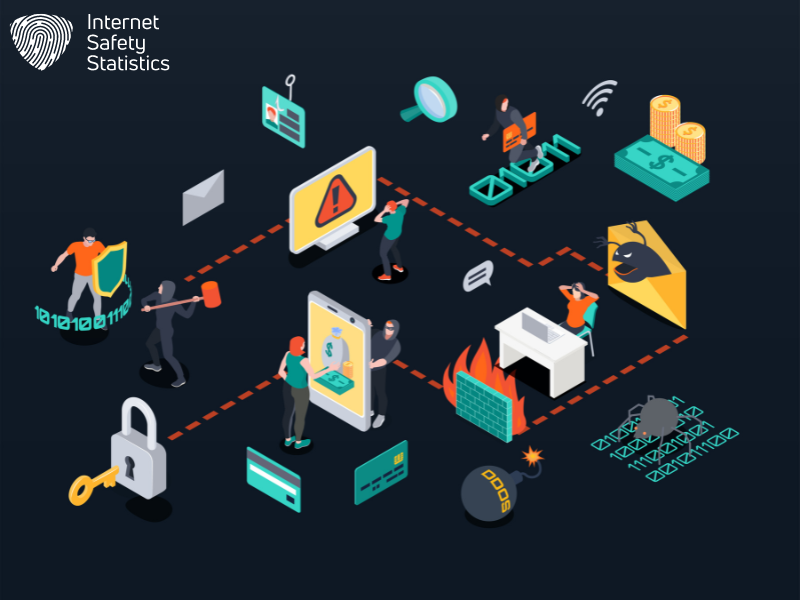
Use strong, unique passwords for each account and enable two-factor authentication to add an extra layer of security. Be cautious of suspicious emails and regularly update your software and devices to stay protected from cyber threats.
Use Strong, Unique Passwords for Each Account
Create and use strong, unique passwords for each of your accounts to add a critical layer of protection against cyber threats. Avoid using easily guessable information such as birthdays, pet names, or common words in your passwords.
Utilise a combination of uppercase and lowercase letters, numbers, and symbols to make your passwords complex and difficult for hackers to crack. Remember that using the same password across multiple accounts increases the risk of security breaches – diversify your passwords for enhanced security.
Implementing strong and unique passwords is vital for safeguarding personal data from cyber-attacks. By doing so, you significantly reduce the chances of unauthorised access to your online accounts and minimise the potential impact of any security breaches.
Enable Two-Factor Authentication
Enable two-factor authentication to add an extra layer of security to your accounts. This feature requires a second form of verification, like a text message code or fingerprint scan, along with your password.
By doing this, you make it much harder for cybercriminals to gain access to your accounts, even if they have obtained your password through phishing or other means. Two-factor authentication is an essential step in protecting yourself from unauthorised access and potential data breaches.
Don’t overlook the importance of this additional security measure.
Be Cautious of Suspicious Emails
As important as it is to enable two-factor authentication, being cautious of suspicious emails is equally vital in safeguarding your online security. Cybercriminals often use sophisticated scams to convince individuals to share personal information or click on harmful links.
These deceptive emails can appear legitimate and even come from familiar senders, making it crucial to scrutinise all email communications. It’s essential to verify the sender’s identity, avoid clicking on unknown links or attachments, and be wary of urgent requests for sensitive information.
Staying vigilant about suspicious emails can help you protect your personal and financial data from falling into the wrong hands.
Regularly Update Your Software and Devices
Regularly updating your software and devices is crucial in safeguarding against cyber threats. Updating patches and software helps fix security vulnerabilities that cybercriminals may exploit to gain unauthorized access to your system.
Cybersecurity breaches are not limited to big companies or famous people but can happen to anyone, making it vital for individuals and businesses alike to prioritise regular updates as a fundamental cybersecurity practice.
Using the same password across different accounts is a common misconception. However, enabling automatic updates on all your devices provides an essential layer of protection against evolving cyber threats, ultimately reducing the risk of falling victim to malicious attacks.
Use a Reputable VPN
To further enhance your online security, utilise a reputable VPN. Encrypting your internet connection through a Virtual Private Network (VPN) can safeguard your data from potential cyber threats.
By using a VPN, you can protect sensitive information such as passwords and credit card details when using public Wi-Fi networks, mitigating the risk of unauthorised access to your personal data.
Furthermore, a VPN allows you to browse the web anonymously, shielding your online activities from prying eyes and potential surveillance. This added layer of privacy protection is especially crucial in today’s digital landscape, where online threats are rampant.
Monitor Your Accounts and Personal Information
Regularly monitor all your online accounts and personal information for any signs of suspicious activity. Set up alerts with your bank, credit card companies, and other financial institutions to receive notifications about any unusual transactions.
It’s essential to keep an eye out for unexpected changes in your credit report or any unfamiliar charges on your accounts. Stay vigilant by reviewing your social media privacy settings and keeping track of how much personal information you share online.
Enable two-factor authentication wherever possible to add an extra layer of security to your accounts. Be proactive in checking the privacy settings of websites you visit regularly and adjust them as needed to limit the amount of personal information that is accessible.
Regularly review permissions granted to apps on your devices and revoke access if necessary, especially from those that no longer serve a purpose or seem suspicious.
The Reality of Cybersecurity Threats
Cyber attacks are becoming more sophisticated and frequent, with social engineering tactics on the rise and businesses facing significant impacts. Stay informed about the latest cybersecurity threats to protect yourself and your business.
The Rise of Social Engineering Attacks
Cybercriminals are increasingly using social engineering tactics to manipulate individuals into divulging sensitive information or performing actions that compromise security. These attacks often leverage psychological manipulation, exploiting human emotions and tendencies to deceive victims.
By tricking individuals into providing confidential details or clicking on malicious links, cyber attackers gain unauthorised access to personal data and corporate networks. Social engineering attacks can occur through various channels, including phishing emails, phone calls impersonating trusted entities, or fake websites designed to appear legitimate.
It is crucial for both individuals and businesses to be aware of the rising threat of social engineering attacks and take proactive measures to mitigate the risk. Understanding common tactics used by cybercriminals in social engineering schemes empowers people to recognise and resist these manipulative techniques effectively.
Vigilance, scepticism towards unsolicited communications, and regular cybersecurity education are essential strategies in safeguarding against such deceptive practices.
The Importance of Cybersecurity in the Workplace
The workplace is a prime target for cybercriminals due to the sensitive data and valuable information stored on company networks. Therefore, it’s crucial for businesses to prioritise cybersecurity as a fundamental aspect of their operations.
Employees should be educated about the importance of using strong, unique passwords, enabling two-factor authentication, and being cautious of suspicious emails. Regular software updates and security audits are essential in maintaining a secure work environment.
Additionally, implementing strong security protocols and having a comprehensive plan in place to respond to cyber-attacks are vital steps towards safeguarding business operations from potential threats.
The Impact of Cyber Attacks on Businesses
In today’s digital landscape, cyber-attacks have a significant impact on businesses of all sizes. These attacks can lead to financial losses due to theft of sensitive information, disruption of business operations, and damage to the company’s reputation.
Moreover, these incidents often result in legal and regulatory ramifications. Small and medium-sized enterprises are particularly vulnerable as they may lack the resources for robust cybersecurity measures.
Furthermore, the aftermath of a cyber attack can be detrimental – resulting in decreased customer trust and confidence in the company’s ability to protect their data. With increasingly sophisticated threats emerging every day, it is imperative that businesses prioritise comprehensive cybersecurity strategies to safeguard against potential breaches.
Tips for Businesses to Improve Cybersecurity
Educate employees on cybersecurity best practices to enhance their awareness and vigilance. Implement strong security protocols and systems to protect sensitive data from external threats.
Educate Employees on Cybersecurity Best Practices
Train staff on essential cybersecurity practices to foster a culture of awareness and readiness within the workplace. Provide regular training sessions covering topics such as identifying phishing emails, creating strong and unique passwords, using two-factor authentication, and recognising potential cyber threats.
Encourage employees to report any suspicious activity promptly and ensure they understand their role in protecting sensitive data from external threats.
Empower your workforce with the knowledge needed to proactively manage cybersecurity risks by delivering engaging educational materials and conducting interactive workshops that cater to different learning styles.
Implement Strong Security Protocols and Systems
Utilise strong security protocols and systems to safeguard your digital assets. Regularly update all software and devices, including antivirus protection. Conduct frequent security audits to identify potential vulnerabilities and take proactive measures to address them.
Educate employees on cybersecurity best practices to ensure everyone plays a role in maintaining a secure environment. Have a detailed plan in place for responding to cyber attacks, acknowledging that the responsibility for cybersecurity extends beyond the IT department, involving every individual within the organisation.
Protective measures can help combat cyber threats effectively. By implementing robust security protocols and systems, you can mitigate risks associated with cyber-attacks and protect your personal information or business data from unauthorised access or breaches.
Regularly Update Software and Devices
Keep your software and devices up to date to stay ahead of cyber threats. Regular updates patch security vulnerabilities, making it harder for cybercriminals to exploit weaknesses in your system.
By updating promptly, you add an extra layer of protection against potential attacks. Stay informed about the latest security patches and ensure that all your devices have the most recent updates installed.
By prioritising regular software and device updates, you actively reduce the risk of falling victim to cyber threats such as malware infiltration or data breaches. Protect yourself from potential vulnerabilities by making this a routine practice.
Up-to-date systems are essential in safeguarding your personal information and maintaining a secure online presence.
Conduct Regular Security Audits
Regular security audits are essential for identifying potential vulnerabilities and safeguarding your digital assets. Audits help in evaluating the effectiveness of your current security measures, ensuring that they meet industry standards and best practices.
By conducting regular security audits, you can proactively address any weaknesses before they are exploited by cybercriminals.
Furthermore, regular security audits enable you to stay compliant with regulations and maintain the trust of your customers. It’s important to remember that cybersecurity is an ongoing process, and conducting regular security audits should be a fundamental part of your strategy to combat evolving threats.
Have a Plan in Place for Responding to Cyber Attacks
Businesses should establish a clear protocol for responding to cyber-attacks. This plan should address potential threats, outline steps to take in the event of an attack and designate responsibilities within the organisation.
Regular drills and simulations can help ensure that employees are prepared to respond effectively.
Understanding the importance of a response plan is crucial, as cyber-attacks can have severe consequences for businesses. With the rise of social engineering attacks and continually evolving security threats, having a well-prepared response strategy is essential in minimising damage and maintaining trust with customers and partners.
Conclusion
Debunking common cybersecurity myths is crucial for staying safe online. It’s everyone’s responsibility to be aware and proactive about cyber defence. Understanding the reality of cyber threats and taking necessary precautions are essential in today’s digital world.
Stay informed, stay vigilant, and protect your personal data from potential security breaches. Don’t fall victim to misinformation – knowledge is key to safeguarding your online privacy and security.
FAQs
1. What are some common misconceptions about WiFi security?
Some common cybersecurity beliefs suggest that a WiFi network is always secure, but that’s not true. It’s important to have strong defences to protect against external cyber threats.
2. Can emails pose a threat to my privacy and security?
Yes, email security is a vital aspect of information security; many believe it’s safe, but in reality, emails can be vulnerable to internet threats that compromise your privacy.
3. Are all cyber attacks from outside sources?
No, not all issues with cybersecurity come from external threats; sometimes, the danger comes from within an organisation or due to weak internal cyber defence practices.
4. Is using the internet always risky for my personal data?
The truth is debunked: Internet use can be safe if proper privacy and security measures are in place and you’re aware of how to defend your information online.
5. Do I need constant vigilance for effective cybersecurity?
Effective cyber defence does require ongoing attention because the landscape of potential risks continues evolving – stay informed and proactive!