

The digital age has woven our identities into the fabric of the online world. From social media profiles to online banking credentials, our personal information forms the foundation of our virtual existence. Unfortunately, this interconnectedness also presents a vulnerability: identity theft and fraud. Millions become victims each year, highlighting the critical need for proactive measures.
This guide equips you with a comprehensive strategy to protect your online identity. We’ll delve into essential practices, from crafting secure passwords to monitoring financial activity, empowering you to confidently navigate the digital landscape and minimise the risk of falling prey to online threats.
Keep safe, and read on for essential protection strategies!
Understanding Identity Theft
Identity theft occurs when someone steals and uses your personal information for fraud. There are various types of identity theft, such as financial, medical, and criminal. Look out for warning signs like unauthorised transactions or unfamiliar accounts.
How is Identity Stolen?
Identity theft happens when someone unlawfully obtains your personal information to commit fraud. Criminals can steal your identity in several ways, often without you noticing until it’s too late.
- Unsecured online platforms can expose your details. Always use verified, secure websites for transactions.
- Hackers break into databases, stealing vast amounts of sensitive data. Monitor the news for any breaches involving companies you use.
- Phishing emails trick you into revealing personal information. Stay alert to suspicious messages, and never click on unknown links.
- Your wallet contains crucial ID documents; losing it hands thieves your identity on a plate. Carry only what is essential and keep it safe.
- Dumpster diving is an old but effective method of thieves searching trash for unshredded documents containing personal information. Shred any paperwork with sensitive data before disposal.
- Shoulder surfing occurs when criminals watch as you enter PINs or passwords. Be mindful of your surroundings, especially at ATMs or while using smartphones in public spaces.
- Social media platforms are treasure troves of personal information. Limit the amount of private data you share and adjust privacy settings appropriately.
- Malicious software like spyware infiltrates devices to siphon off personal details undetected. Install reputable cybersecurity measures on all devices.
- ATMs have skimmers installed, and card readers capture card information with each swipe. Inspect card slots before use and cover the keypad when typing PINs.
Types of Identity Theft
Identity theft can take on various forms, each with the potential to cause significant harm. It’s important to understand these types to protect yourself better. Here are some common forms of identity theft and fraud:
- Financial Identity Theft occurs when criminals use stolen personal information to open credit card accounts or apply for loans in your name, causing financial damage.
- Medical Identity Theft: Fraudsters use your medical insurance information to receive treatment, leaving you with false medical records and potential financial liability.
- Criminal Identity Theft occurs when someone uses your identity when you are arrested, leading to a criminal record that may affect your future opportunities.
- Child Identity Theft: Due to the lack of monitoring, criminals sometimes use children’s Social Security numbers for fraudulent purposes.
- Synthetic Identity Theft: This involves creating a new identity using various pieces of real and fabricated information.
Warning Signs
Be mindful of unexpected withdrawals or charges on your accounts. Watch for unfamiliar activity or changes in your credit score. Look for missing bills or statements and notifications about accounts you didn’t open.
Check if you receive calls from debt collectors regarding debts that aren’t yours, and be wary if you don’t receive expected bills or financial statements by mail regularly. Always take note of unusual requests for your personal information through unsolicited messages.
How to Protect Your Online Identity from Theft
Protect your personal information by freezing your credit, using strong passwords and two-factor authentication, being cautious of phishing and spoofing, monitoring your accounts and credit, and safeguarding your devices. These steps are crucial in preventing identity theft and keeping your online identity safe from fraud.
Freeze Your Credit
Protect your credit by freezing it with the major credit bureaus. This prevents unauthorised access to your credit report and stops potential identity thieves from opening new accounts in your name. Here’s how you can freeze your credit:
- Contact Experian, Equifax, or TransUnion to request a credit freeze.
- Provide the necessary personal information and pay any applicable fees.
- Once frozen, you will receive a unique PIN for future use or unfreezing.
- Remember to keep the PIN safe and only temporarily lift the freeze when required.
- Freezing your child’s credit is also advisable, as they can be targets of identity theft.
Safeguard Your Personal Information
Safeguard your personal information with these proactive measures to prevent identity theft and fraud:
- Keep sensitive documents and personal information in a secure location, whether physical or digital.
- Be cautious with whom you share your personal information, especially online and over the telephone.
- Store important documents in a fireproof safe or lockable filing cabinet.
- Regularly review bank and credit card statements for any unauthorised charges or transactions.
- Shred documents containing personal information before discarding them.
- Avoid oversharing personal details on social media platforms to minimise identity theft risk.
- Utilise privacy settings on social media platforms to control who can view your personal information.
Be Cautious of Phishing and Spoofing
Protect yourself from cyber threats by being cautious of phishing and spoofing attempts. Cybercriminals often use deceptive emails, websites, or messages to trick you into providing personal information such as passwords, credit card details, or Social Security numbers.
Watch out for suspicious links and requests for sensitive information via email or social media. Always verify the sender’s authenticity before clicking links or sharing personal data online.
Stay vigilant against fraudulent attempts by regularly reviewing your financial statements, setting up two-factor authentication for online accounts, and using reputable anti-phishing software.
Use Strong Passwords and Two-factor Authentication
Other steps to ensure the safety of your online identity include using strong passwords for all your online accounts and activating 2FA to prevent unauthorised access to your accounts.
- Create unique passwords for each account, incorporating a mix of letters, numbers, and special characters.
- Utilise a reputable password manager to store and manage your passwords securely.
- Enable two-factor authentication whenever it’s available. This will add an extra layer of security beyond your password.
- Regularly update your passwords and review the list of devices with access to your accounts.
- For added protection, consider using biometric authentication methods such as fingerprint or facial recognition.
Monitor Your Accounts and Credit
After setting up strong passwords and two-factor authentication, regularly monitoring your accounts and credit is crucial. Here are important steps to help protect your online identity against theft and fraud:
- Review your bank statements and credit card transactions frequently to detect unauthorised activity.
- Set up account alerts with your financial institutions to receive notifications for unusual or large transactions.
- Request and review your annual credit reports from the major credit bureaus to ensure no unfamiliar accounts or discrepancies.
- Consider using a reputable credit monitoring service that can provide regular updates on changes to your credit report.
- Stay vigilant for any unexpected changes in your credit score, which could indicate fraudulent activity.
- If you detect any suspicious activity, report it immediately to the relevant authorities and take steps to safeguard your accounts and personal information.
Protect Your Devices
After monitoring your accounts and credit, it’s important to protect your devices to prevent identity theft and fraud. Here are some essential steps to safeguard your personal information on your devices:
- Update your software regularly
- Use strong, unique passwords for each account
- Enable two-factor authentication for an added layer of security
- Be cautious when downloading apps or clicking on links
- Install reputable antivirus software and keep it updated
- Avoid connecting to public Wi-Fi networks for sensitive transactions
- Encrypt your data and use secure browsing practices
- Back up important data regularly in a secure location
Common Ways Identity Theft Occurs
Identity theft can occur through lost or stolen wallets, mail theft, public Wi-Fi, data breaches, phone scams, and malware. Keep reading to learn more about protecting yourself from these common ways identity theft occurs.
Lost or Stolen Wallet
If your wallet is lost or stolen, your physical and virtual identities become at risk. The perpetrator will attempt to vandalise your credit card limits and impersonate you. This is why you must immediately protect your identity.
- Cancel and replace all credit and debit cards.
- Monitor your bank and credit card statements for any unauthorised transactions.
- Alert the credit bureaus to place a fraud alert on your credit reports.
- Consider placing a security freeze on your credit reports to prevent new accounts from being opened in your name.
- Contact the police and file a report of the lost or stolen wallet.
- Replace identification documents in the wallet, such as a driver’s licence or passport.
Mail Theft
While online scams dominate headlines, a low-tech method persists in mail theft. Physical documents often contain sensitive information like social security numbers, credit card statements, or pre-approved credit offers. Stealing such documents allows thieves to impersonate you, potentially opening new accounts, applying for loans, or even diverting tax refunds.
Consider requesting a locked mailbox or collecting mail promptly to combat this threat. Opting for paperless statements from banks and credit card companies can further minimize the risk of stolen documents fueling online identity theft.
Using Public Wi-Fi
Public Wi-Fi networks are an immense threat to your online identity. You must take all necessary measures to ensure your safety if you need to connect to a public Wi-Fi network.
Data Breaches
Public Wi-Fi opens up your personal information to potential theft, but data breaches pose an even greater threat. Here’s how to protect yourself:
- Regularly monitor your accounts and credit reports for any suspicious activity.
- Consider using identity theft protection services to keep an extra layer of security.
- Change passwords immediately if you’re notified of a data breach on a website or service where you have an account.
- Be cautious of sharing sensitive information online, especially on platforms that have experienced data breaches.
- Use reputable breach-checking websites to check if your email address has been part of any known data breaches.
- Keep software and applications updated to reduce the risk of victimising known security vulnerabilities.
- Be critical when sharing personal information with third-party apps and websites.
Phone Scams
Phone scams are a common method identity thieves use to trick individuals into revealing personal information or financial details. Protect yourself from phone scams by following these steps:
- Be cautious when receiving unsolicited calls asking for personal or financial information.
- Verify the legitimacy of the caller before providing any sensitive details.
- Never give out personal information over the phone, especially if you did not initiate the call.
- Do not trust the caller ID as scammers can falsify it to make it appear more convincing.
- Hang up immediately if you suspect a phone call may be a scam, and report it to the appropriate authorities.
Malware
Malware is one of the most common methods of fraud and identity theft. Different types of malware can cause significant damage to your device and data.
- Installing reputable antivirus software to detect and remove malware.
- Keeping your operating system and applications updated to fix vulnerabilities that malware exploits.
- Avoid clicking on suspicious links and downloading files from untrustworthy sources.
- Be cautious with pop-up adverts, and do not install software from unfamiliar websites.
- Using a firewall to block unauthorised access to your network.
What to Do if Your Identity is Stolen
If your identity is stolen, report it immediately and contact the appropriate authorities. Keep track of your accounts and credit reports, and consider using an identity theft protection service for additional support.
Report Identity Theft Immediately
If you suspect identity theft, take action immediately. Here are the steps to report identity theft promptly:
- Contact your financial institutions and credit bureaus to freeze your accounts and place a fraud alert.
- File a report with the Federal Trade Commission (FTC) at IdentityTheft.gov or by calling 1-877-ID-THEFT.
- Report the crime to your local police station and obtain a copy of the police report for documentation purposes.
- Notify any impacted businesses and service providers to close or change compromised accounts.
Contact the Appropriate Authorities
Contacting the appropriate authorities is crucial if you’ve already reported identity theft. Here’s what to do:
- Notify the police: File a report with your local police department immediately. This documentation is necessary to prove you are a victim of identity theft.
- Contact the Federal Trade Commission (FTC): Report identity theft to the FTC by visiting its website or calling its freephone number. The FTC provides resources and guidance for managing identity theft cases.
- Inform credit bureaus: Contact one of the major credit bureaus, such as Equifax, Experian, or TransUnion, and request a fraud alert on your credit report. This will make it harder for thieves to open new accounts in your name.
- Alert relevant financial institutions: Contact your bank, credit card companies, and any other financial institutions where you have accounts that may be affected by the identity theft. They can take steps to protect your accounts and help resolve any fraudulent transactions.
- Contact government agencies: If someone has fraudulently used your National Insurance number or filed taxes in your name, notify the relevant government agencies such as the Social Security Administration or Her Majesty’s Revenue and Customs (HMRC).
- Seek legal advice if necessary: If you need legal assistance in navigating complex situations resulting from identity theft, consider consulting with a solicitor specialising in such cases.
- Keep records of all communications: For future reference, keep thorough records of all conversations and correspondence related to reporting and resolving the identity theft case.
Keep Track of Your Accounts and Credit Reports
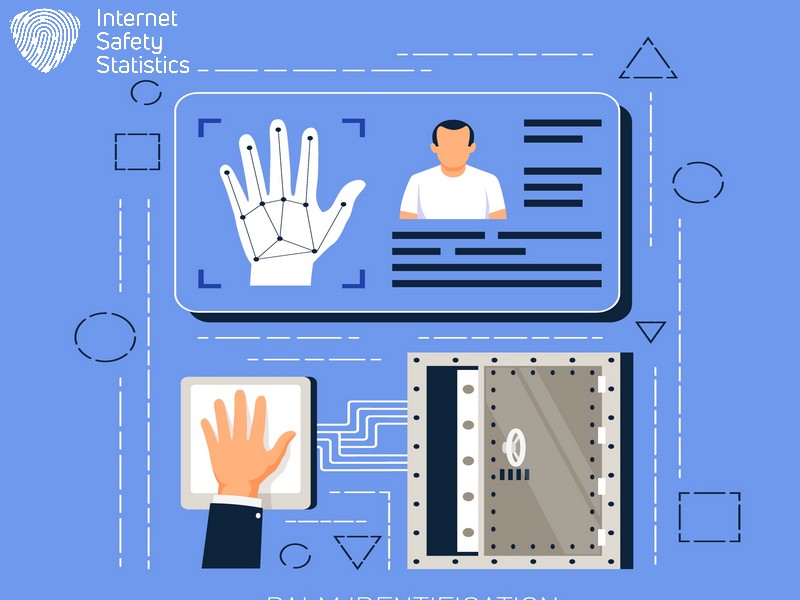
Monitor your accounts and credit reports regularly to spot unusual activities or unauthorised transactions.
- Review your bank and credit card statements monthly.
- Check your credit report from all three major bureaus at least once a year.
- Look for any unfamiliar charges, accounts, or enquiries.
- Report any errors or suspicious activities immediately to financial institutions and credit bureaus.
- Take advantage of free credit monitoring services from many financial institutions or third-party providers.
- Consider placing a fraud alert or security freeze on your credit file if you suspect potential unauthorised access.
- Stay vigilant and proactive in managing your financial accounts and monitoring your credit history.
Consider Using an Identity Theft Protection Service
Protect your personal information and safeguard against identity theft by considering an identity theft protection service. These services can continuously monitor your credit reports, alerting you to suspicious activity.
With features like dark web surveillance and insurance for financial losses due to fraud, these services offer added peace of mind. By taking this proactive step, you can strengthen the security measures to protect your online identity from theft and fraud.
Remember that prevention is key to protecting yourself from identity theft. Consider using an identity theft protection service to defend against potential threats.
Safeguarding your online identity is crucial in preventing theft and fraud. Stay vigilant by regularly monitoring your accounts and credit reports. Be cautious of suspicious emails and websites to protect yourself from phishing attempts. Secure your personal information with strong passwords, and consider using an identity theft protection service for added security. Be proactive in taking steps to protect your online identity against potential threats.
FAQs
What can I do to prevent identity theft online?
To prevent identity theft, protect your personal information by using strong passwords, safeguarding sensitive data and being cautious with email and social media security.
How does phishing prevention help secure my online identity?
Phishing prevention helps keep your online identity safe by teaching you how to recognise fraudulent emails or messages that try to steal your personal information.
Why is it important to have fraud protection on my internet accounts?
Having fraud protection on your internet accounts is crucial for preventing unauthorised access, protecting against financial fraud, and preventing the misuse of your details.
Can securing my social media help in protecting my identity from thieves?
Yes, securing your social media accounts is essential as they often contain personal information that can be used for identity theft; always manage privacy settings carefully.
What are some good practices for password protection to ensure my online data remains secure?
Good password protection practices include creating complex passwords that mix letters, numbers, and symbols, never sharing them with others, and updating them regularly to enhance data security.