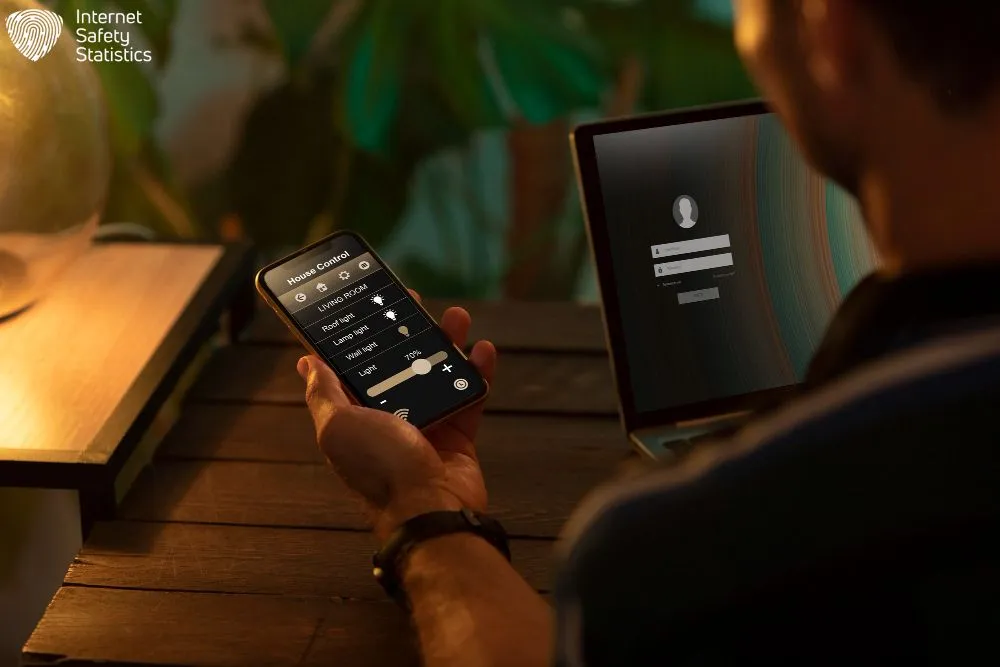
Smart home technology has revolutionised British households, with over 23 million UK homes now equipped with smart home devices. From smart thermostats that control heating systems to voice-activated assistants that manage daily tasks, these innovations offer remarkable convenience. However, smart home devices create significant security vulnerabilities that hackers actively exploit. This comprehensive guide provides actionable strategies to secure your smart home devices from cyber threats while maintaining the convenience you’ve come to rely on.
Table of Contents
Understanding the Smart Home Threat Landscape
The proliferation of smart home devices in UK homes has created an expanded attack surface for cybercriminals. Understanding how hackers target smart home devices is the first step towards effective protection.
Common Vulnerabilities Hackers Exploit
Smart home devices contain several inherent weaknesses that cybercriminals routinely target. Default passwords remain one of the most significant vulnerabilities, with manufacturers often shipping smart home devices using credentials like “admin/admin” or “12345678”. Research by Which? found that some smart cameras can be compromised in under two minutes using these default settings.
Outdated firmware presents another critical weakness. Many devices lack automatic update mechanisms, leaving them vulnerable to known security flaws. The 2016 Mirai botnet attack, which affected UK households, exploited precisely these unpatched devices to launch massive distributed denial-of-service attacks.
Insecure network protocols compound these issues. Devices using unencrypted communication channels transmit data in plain text, allowing hackers to intercept sensitive information. Baby monitors, CCTV cameras, and smart locks have all demonstrated such vulnerabilities in independent security testing.
How Cybercriminals Attack Smart Homes
Hackers employ several sophisticated methods to breach smart home devices and networks. Brute-force attacks systematically test password combinations until gaining access, particularly effective against smart home devices with weak credentials. The National Cyber Security Centre (NCSC) reports that automated tools can test thousands of password combinations per second.
Phishing campaigns target smart home users through convincing emails that appear to originate from device manufacturers. These messages often contain malicious links or attachments that install spyware or steal login credentials. In 2024, Action Fraud recorded over 8,000 reports of smart home-related phishing attempts in the UK.
Man-in-the-middle (MITM) attacks intercept communications between your devices and their cloud services. Hackers position themselves between your smart speaker and its manufacturer’s servers, capturing voice commands, personal data, and even payment information. Public Wi-Fi networks pose a particularly high risk for such attacks.
Exploiting known vulnerabilities represents perhaps the most direct attack method. Cybersecurity researchers regularly discover and publish vulnerabilities in devices. Whilst manufacturers typically release patches, criminals exploit the window between disclosure and user implementation of updates.
Building a Secure Foundation: Your Smart Home Network
Your home network serves as the gateway through which all smart home devices communicate. Securing this infrastructure provides essential protection for every smart home device in your household.
Router Security: Your Primary Defence Line
Your router functions as the central hub controlling all network traffic. Begin by immediately changing the default administrator credentials. Manufacturers commonly use identical passwords across thousands of devices, making them easily discoverable by attackers.
Select a strong administrative password using at least 16 characters, combining uppercase and lowercase letters, numbers, and symbols. Avoid personal information such as names, addresses, or birth dates. The NCSC recommends using three random words combined with numbers for memorable yet secure passwords.
Update your router’s firmware regularly. Manufacturers release updates addressing newly discovered vulnerabilities; however, many routers require manual updates. Access your router’s administration panel monthly to check for available updates. Some modern routers offer automatic update features—enable this option where available.
Disable Wi-Fi Protected Setup (WPS) functionality. Whilst convenient for connecting devices, WPS contains a fundamental security flaw that allows hackers to bypass encryption and access your network within hours. This feature provides minimal convenience whilst creating substantial risk.
Change your router’s default network name (SSID). Generic names like “BTHub6-XXXX” or “SKY12345” immediately identify your router model to potential attackers, who can then research known vulnerabilities specific to that device. Choose a unique name that reveals nothing about your router manufacturer or model.
Network Segmentation: Creating Security Zones
Network segmentation isolates smart home devices from computers and smartphones containing sensitive personal information. This strategy ensures that even if hackers compromise a smart light bulb, they cannot access your online banking or private documents.
Most modern routers support guest networks, which are separate Wi-Fi connections that operate independently of your primary network. Configure your guest network specifically for smart home devices, keeping laptops, phones, and tablets on the main network. This separation limits lateral movement if attackers breach a vulnerable device.
For advanced protection, implement a VLAN (Virtual Local Area Network) configuration. VLANs create completely separate network segments at the router level, providing stronger isolation than guest networks. Whilst requiring more technical knowledge, VLANs offer superior security for households with numerous connected devices.
Configure your IoT network with a separate, equally strong password from your primary network. Never use the same credentials across both networks, as this defeats the purpose of segmentation.
Wi-Fi Encryption and Authentication
Proper Wi-Fi encryption forms a critical barrier against unauthorised network access. Configure your router to use WPA3 encryption, the latest security standard, which offers substantially improved protection over older protocols. WPA3 includes individualised data encryption, protecting against password-guessing attacks even on public networks.
If your router doesn’t support WPA3, ensure you’re using WPA2 at a minimum. Never use WEP (Wired Equivalent Privacy) or WPA, as these outdated protocols can be cracked within minutes using freely available software.
Create a robust Wi-Fi password that is at least 20 characters long. Contrary to popular belief, the length of Wi-Fi passwords matters more than their complexity. A password like “CorrectHorseBatteryStaple2024!” provides exponentially more security than “P@ssw0rd”, despite the latter containing more character types.
Firewall Configuration and Port Management
Your router’s firewall monitors incoming and outgoing network traffic, blocking potentially malicious connections. Ensure your firewall remains enabled—some users inadvertently disable this feature whilst troubleshooting connectivity issues.
Avoid opening ports for remote access unless necessary. Port forwarding creates direct pathways into your network, bypassing firewall protection. Many smart home devices offer cloud-based remote access that doesn’t require port forwarding, providing a more secure alternative.
If you must forward ports, limit forwarding to specific IP addresses rather than allowing connections from anywhere. Document the ports you’ve opened and for which devices, and review this configuration quarterly to remove unnecessary access points.
The Role of VPNs in Smart Home Security
A Virtual Private Network (VPN) encrypts all traffic leaving your network, protecting your data from interception. Whilst VPNs don’t directly secure individual smart home devices, they protect your privacy when accessing smart home systems remotely.
Install VPN software at the router level to automatically encrypt traffic from all smart home devices. This approach requires a VPN-compatible router and provides comprehensive protection without the need to configure individual devices. Services like NordVPN (£2.99/month for a 2-year plan) and Surfshark (£1.99/month for a 2-year plan) offer router-level solutions, making them suitable for protecting smart homes.
Alternatively, install VPN apps on smartphones and computers used to control your smart home devices. This strategy protects these control devices whilst maintaining normal functionality for your smart home devices, which may experience connectivity issues when routing through VPNs.
Device-Specific Security Measures

Different smart home devices present unique security considerations. Implementing device-specific protections addresses vulnerabilities inherent to each type of smart home device.
Smart Cameras and Video Doorbells
Smart cameras handle particularly sensitive data—live video feeds of your home and family. Begin by changing the default password immediately upon installation. Use a unique password not shared with any other device or account.
Enable two-factor authentication (2FA) in your camera’s companion app. This requires entering a code from your smartphone when accessing camera feeds, preventing unauthorised access even if someone obtains your password. Ring, Nest, and Arlo all offer two-factor authentication (2FA) options within their security settings.
Choose local storage over cloud storage where possible. Devices with SD card slots or network-attached storage options keep your footage within your physical control, eliminating risks associated with cloud breaches. If using cloud storage, verify that the service provider encrypts data both in transit and at rest.
Configure privacy zones to exclude areas visible to cameras where you expect privacy. Modern cameras allow users to draw boxes over portions of the camera’s field of view, ensuring these areas aren’t recorded or transmitted. This feature proves particularly valuable for cameras covering shared spaces or neighbouring properties.
Position cameras thoughtfully to minimise capturing sensitive activities. Avoid placing cameras in bedrooms, bathrooms, or other private areas. Consider whether camera placement could inadvertently capture computer screens displaying passwords or financial information.
Review your camera’s companion app permissions carefully. Many apps request access to your phone’s microphone, location, and contacts, even though they do not require this information for camera functionality. Deny unnecessary permissions to limit data exposure.
Smart Speakers and Voice Assistants
Voice-activated assistants continuously process conversations, listening for wake words. These smart home devices require constant audio monitoring, which creates privacy concerns that require careful management.
Utilise physical mute buttons during private conversations. Amazon Echo, Google Nest, and Apple HomePod devices include hardware mute switches that electrically disconnect microphones, providing reliable privacy assurance.
Review and delete voice recordings regularly. Amazon Alexa, Google Assistant, and Apple Siri all store voice interactions by default. Access your account settings to review stored recordings and enable automatic deletion after three months. Alternatively, configure your device not to save recordings, although this may slightly reduce performance.
Disable purchasing capabilities or require voice confirmation codes. Smart speakers with purchasing capabilities enable anyone within earshot to place orders. Configure your device to require a four-digit PIN spoken aloud before completing purchases.
Train voice recognition profiles for household members. Modern assistants can distinguish between different voices, limiting access to personal information, such as calendars and messages, to recognised users. This feature prevents unauthorised access to your private data.
Disable the “drop-in” feature unless specifically needed. This Amazon Alexa function allows approved contacts to instantly connect to your device, essentially creating an open intercom into your home. The feature has legitimate uses for elderly care, but creates privacy concerns for typical households.
Smart Plugs and Lighting Systems
Smart plugs and lighting may seem innocuous, but these devices can reveal your daily routines and even when you’re away from home. Secure these devices despite their apparent simplicity.
Purchase devices from established manufacturers with demonstrated security track records. Unknown brands frequently lack basic security measures and rarely provide firmware updates. Philips Hue, TP-Link Kasa, and LIFX maintain active security programmes and regularly update their devices.
Create a separate network specifically for smart lighting and plugs. These devices typically don’t require internet access to function locally, so consider blocking their internet access entirely at the router level while maintaining local control through your smartphone.
Disable remote access unless you specifically need to control lights whilst away from home. Many users configure remote access “just in case” but never use it, creating an unnecessary security risk.
Review automation schedules periodically. Random schedules that simulate occupancy during holidays provide security benefits, but predictable patterns reveal your routine to observers monitoring your network traffic.
Smart Locks and Security Systems
Smart locks protect your physical security, making their digital security paramount. These smart home devices require especially careful configuration and monitoring.
Maintain traditional key-based backup access. Never rely solely on digital locks, as battery failures, software glitches, or cyber attacks could leave you locked out. Keep a physical key in a secure location known to trusted family members.
Enable tamper alerts in your lock’s companion app. These notifications warn you of potential physical attacks on the lock mechanism, such as drilling or forced entry attempts.
Configure unique access codes for different users rather than sharing a single code. This allows tracking who enters your home and when, whilst enabling easy revocation when someone no longer requires access. Change access codes when employees, contractors, or temporary guests no longer need entry.
Review access logs weekly to identify suspicious entry attempts. Multiple failed code attempts, entries at unusual times, or access by codes you’ve already deleted all warrant immediate investigation.
Select locks that support end-to-end encryption between your smartphone and the lock mechanism. This prevents MITM attacks from capturing unlock codes during transmission. Yale, August, and Nuki locks all implement proper encryption protocols.
Integrate your smart lock with your security system where possible. Coordinated systems can automatically arm when you lock up and disarm when you unlock, whilst providing consolidated monitoring through a single app.
Smart Hubs and Ecosystem Controllers
Smart hubs coordinate multiple smart home devices, making them attractive targets for attackers. Compromising a hub often provides access to every connected smart home device simultaneously.
Position your hub on your secure main network rather than your IoT network, as it requires robust internet access for updates and remote control. However, ensure devices connected through the hub reside on the IoT network, with the hub acting as a controlled gateway between the networks.
Enable automatic updates for your hub’s firmware. Unlike individual IoT devices, hubs from manufacturers such as Samsung SmartThings, Apple HomeKit, and Amazon Echo typically support automatic updates. Verify this feature is enabled and functioning.
Review connected device permissions regularly. Hubs allow individual devices varying levels of access to network resources and other devices. Ensure devices possess only the minimum permissions necessary for their function.
Implement time-based access controls where supported. Some hubs allow restricting access to the network or to other devices, providing an additional security layer for devices that are only used during specific hours.
Advanced Security Practices
Beyond basic device security, implementing advanced protective measures significantly enhances the resilience of your smart home devices against sophisticated attacks.
Multi-Factor Authentication Implementation
Multi-factor authentication (MFA) requires providing two or more verification methods before accessing an account or device. This security measure prevents unauthorised access even if someone obtains your password.
Authenticator apps provide more security than SMS-based codes. Apps like Microsoft Authenticator, Google Authenticator, or Authy generate time-based codes that expire every 30 seconds. Unlike SMS, these codes cannot be intercepted through SIM swapping attacks, a growing threat in the UK.
Biometric authentication, such as fingerprint or facial recognition, offers convenient security for devices that support these methods. However, treat biometrics as a supplement to passwords rather than a replacement, as biometric data cannot be changed if compromised.
Hardware security keys represent the gold standard for authentication security. Devices like YubiKey or Google Titan provide physical authentication that cannot be phished or intercepted remotely. While requiring a modest investment (£22-£50 per key), hardware keys provide exceptional protection for accounts controlling critical devices, such as security systems.
Enable MFA on every account that supports it, prioritising accounts that control security devices, cameras, and locks. Even MFA on less critical devices provides valuable protection, as attackers often compromise weak accounts to gain initial network access before moving to more valuable targets.
Password Management and Creation
Unique passwords for every device and account form a fundamental security requirement. Password reuse allows a breach of one service to compromise multiple accounts.
Password managers securely store and generate complex passwords, eliminating the need to remember dozens of credentials. Services like 1Password (£2.99/month) or Bitwarden (free tier available, premium at £8/year) encrypt your password database, requiring only a single master password to access all stored credentials.
Create your master password using the dice ware method: roll the dice to randomly select words from a standardised list, combining four to six words for exceptional security. This method generates passwords that are both extremely secure and memorably human-friendly.
Implement password rotation for critical accounts on an annual basis. While security experts now recommend changing passwords only after confirmed breaches rather than on fixed schedules, reviewing and updating passwords for security systems, cameras, and locks once a year provides peace of mind without creating security weaknesses from overly frequent changes.
Never store passwords in browsers or unencrypted documents. Browser password managers lack the security features of dedicated password management tools and can be compromised through browser vulnerabilities or extensions.
Regular Software and Firmware Updates
Unpatched software represents a primary attack vector for smart home device breaches. Manufacturers release updates addressing newly discovered vulnerabilities in smart home devices, but these patches only protect the installation.
Configure automatic updates for all smart home devices that support this feature. Smartphones, tablets, and computers should all update automatically, eliminating the risk of forgetting or postponing critical security patches.
For smart home devices that lack automatic updates, create a monthly calendar reminder to check for available firmware updates. Access each device’s companion app or web interface, navigating to settings to manually check for and install updates.
Subscribe to security bulletins from manufacturers of your critical devices. Companies like Ring, Nest, and Arlo maintain security advisory pages alerting customers to vulnerabilities and available patches. Receiving these notifications ensures awareness of critical updates requiring immediate attention.
Replace smart home devices that no longer receive security updates. Manufacturers typically support smart home devices for three to five years before ending update support. Continuing to use unsupported smart home devices leaves you vulnerable to all subsequent exploits that may be discovered.
Data Encryption and Secure Transmission
Encryption protects your data both during transmission and while stored on smart home devices or cloud services. Verify that smart home devices and services implement proper encryption before purchasing or subscribing.
Look for end-to-end encryption (E2EE) in device specifications. E2EE means that data is encrypted on your device and remains encrypted until it reaches its intended destination, preventing the manufacturer or service provider from accessing your information. Apple HomeKit Secure Video and Ring’s end-to-end encryption option both provide this protection for camera footage.
Ensure cloud services encrypt data at rest. Encryption at rest protects stored data from breaches of the service provider’s servers. Most reputable services implement this protection, but verify in the service’s security documentation before uploading sensitive data.
Prefer smart home devices communicating through HTTPS rather than plain HTTP. Check this in your network monitoring tools or router logs. Smart home devices using unencrypted HTTP transmit data in plain text, allowing anyone monitoring your network to read the information.
Security Auditing and Monitoring
Regular security audits identify vulnerabilities in your smart home devices before attackers exploit them. Implement a quarterly review process covering all aspects of your smart home device security.
Create a comprehensive device inventory that documents every smart home device, including its current firmware version, last update date, and associated accounts. This inventory guides your update process and helps identify when smart home devices fall out of support.
Review your router’s list of connected devices monthly, identifying any unfamiliar devices. Attackers gaining network access often connect additional devices or maintain persistent connections to compromised devices. Investigate any unfamiliar entries immediately.
Monitor your network traffic using tools built into modern routers or dedicated network security appliances. Unusual traffic patterns, such as smart home devices communicating with unexpected IP addresses or transmitting large amounts of data, may indicate compromise.
Check account access logs for your smart home services quarterly. Most services maintain logs showing when and from where your account was accessed. Login attempts from unfamiliar locations or at unusual times warrant immediate password changes and a review of security measures.
Conduct penetration testing using tools like Shodan or scanning your own network with nmap (from outside your network, with appropriate authorisation). These tools reveal how your network appears to attackers, identifying exposed services or devices.
UK-Specific Legal Framework and Consumer Rights

British consumers benefit from specific legal protections that address the security and privacy of smart home devices. Understanding these regulations helps you make informed decisions and exercise your rights.
GDPR and Data Protection in Your Smart Home
The UK General Data Protection Regulation (UK GDPR) governs how companies handle your personal data, including information collected by smart home devices. Under UK GDPR, you possess several critical rights regarding your smart home data.
The right to access allows you to request copies of all personal data companies hold about you. For smart home devices, this includes voice recordings, video footage stored in the cloud, usage patterns, and any data shared with third parties. Companies must provide this information within one month of your request.
The right to erasure (“right to be forgotten”) permits requesting the deletion of your personal data under certain circumstances. If you’re discontinuing a service or believe data is being processed unlawfully, you can require companies to delete all associated information.
The right to data portability enables you to obtain your data in a machine-readable format, allowing you to transfer it to another service provider. This right facilitates switching between competing smart home platforms without losing historical data.
Companies must obtain explicit consent before processing your personal data. Pre-ticked boxes or implied consent don’t satisfy UK GDPR requirements. Review privacy policies carefully before accepting to understand exactly how companies will use your data.
Report UK GDPR violations to the Information Commissioner’s Office (ICO). The ICO investigates complaints and can levy substantial fines against companies failing to protect your data adequately. In 2024, the ICO fined a smart camera company £180,000 for inadequate security measures that resulted in a data breach affecting UK customers.
Product Security and Telecommunications Infrastructure Act 2022
The Product Security and Telecommunications Infrastructure (PSTI) Act 2022 establishes minimum security requirements for consumer IoT devices sold in the UK. This legislation, which came into full effect in April 2024, significantly improved smart home security standards.
The Act prohibits the use of default passwords, requiring manufacturers to ship devices with unique passwords or to prompt users to create new passwords during setup. This single requirement eliminates one of the most common vulnerabilities in smart homes.
Manufacturers must provide a transparent statement about the minimum period during which the device will receive security updates. This “defined support period” allows consumers to make informed decisions about product longevity and security.
The Act requires manufacturers to provide a public point of contact for reporting security vulnerabilities. This obligation ensures security researchers and users can report discovered weaknesses, facilitating faster patching.
Devices must clearly disclose what personal data they collect and how they use it at the point of sale. This transparency requirement helps consumers understand the privacy implications before making a purchase.
When purchasing new smart home devices, verify that they comply with PSTI standards. Compliant products display security information clearly on packaging and documentation. Non-compliant devices sold in the UK after April 2024 may indicate substandard manufacturers unlikely to prioritise security.
Responding to Smart Home Security Incidents
If you suspect your smart home devices have been compromised, immediate action minimises potential damage and protects your data.
Disconnect compromised smart home devices from your network immediately. Most smart home devices have physical power switches or network cables you can disconnect. This isolation prevents attackers from causing further harm or accessing other smart home devices.
Change all account passwords associated with compromised smart home devices. Use a different, trusted device to change passwords, as the compromised smart home device may contain keyloggers or other malware capturing your credentials.
Review connected account access and revoke authorisations for any suspicious applications or services. Attackers often maintain access through authorised connections that survive password changes.
Contact the device manufacturer’s security team to report the incident. Provide detailed information about suspicious behaviour, allowing the manufacturer to investigate and potentially identify broader security issues affecting other customers.
Report the incident to Action Fraud, the UK’s national reporting centre for cybercrime. Whilst Action Fraud may not investigate individual smart home incidents, your report contributes to intelligence about cybercrime trends and patterns.
Consider factory resetting compromised smart home devices after backing up any important data. Factory resets remove malware and restore smart home devices to their original, clean state, although you’ll need to reconfigure all settings and update the firmware.
Monitor your bank accounts and credit reports for several months following a breach. Attackers may use stolen information for financial fraud, and early detection significantly improves recovery outcomes.
Future-Proofing Your Smart Home Security
The smart home device threat landscape is constantly evolving, with new vulnerabilities and attack methods targeting these devices emerging regularly. Staying informed and adaptable ensures your security measures remain effective against emerging threats to smart home devices.
Technology advances may introduce new security challenges for smart home devices. Quantum computing, for instance, poses a threat to current encryption standards, although post-quantum cryptography solutions are already in development. Manufacturers will need to update smart home devices with quantum-resistant encryption, emphasising the importance of purchasing smart home devices from companies committed to long-term security support.
Artificial intelligence enhances both security and threats. AI-powered security systems can detect anomalous behaviour patterns indicating attacks, but criminals also employ AI to develop more sophisticated hacking techniques. Staying informed about these developments helps you assess whether new AI-powered security features provide genuine benefits.
Subscribe to reputable technology security publications to remain informed about emerging threats to smart home devices and protective measures. The National Cyber Security Centre publishes regular guidance specifically for UK consumers, whilst organisations like Which? Conduct independent security testing of popular smart home devices.
Participate in online communities focused on smart home security. Forums and social media groups enable the sharing of experiences, learning about newly discovered vulnerabilities, and accessing practical advice from other users facing similar challenges.
Budget for security upgrades and device replacements. Plan to replace critical smart home devices, such as smart locks and cameras, every four to five years, ensuring you benefit from improved security features and maintain manufacturer support.
Consider consulting with cybersecurity professionals for comprehensive security assessments. Whilst this guide provides extensive protection for typical households, homes with particularly valuable assets or high-profile occupants may benefit from professional penetration testing and customised security configurations.
Securing your smart home devices requires ongoing attention and multiple layers of protection. Begin with a solid network foundation, implementing strong passwords, up-to-date firmware, and effective segmentation. Configure individual smart home devices with unique credentials, enable two-factor authentication, and maintain regular updates. Understand your rights under UK law and act promptly if you suspect compromise.
The convenience of smart home devices need not come at the expense of security and privacy. By implementing the measures outlined in this guide, you create robust protection for your smart home devices against current threats while positioning yourself to address emerging challenges. Your secure smart home begins with informed decisions and consistent security practices. Begin implementing these recommendations today to protect your smart home devices and family.