


It’s been years since Windows 10 Firewall invaded the cybersecurity market. The powerful firewall has become an integral part of the Windows operating system. On the other hand, there’s Comodo Firewall, which has been gaining a clean reputation lately for its strength and detection rates. The two firewalls seem similar at first, but when we looked deeper, we found many differences.
In this comparison, we take a deeper look to determine the powerful firewall between the two. We look at their features, prices, compatible operating systems and the available support methods before looking at their peers, the antivirus agents.
What is Windows 10 Firewall? How does it protect you?
Windows 10 Firewall is the firewall integrated into all Windows operating systems from version 10 and after. The software has been an integrated feature since Microsoft launched the permanent Windows Defender antivirus software as a pre-installed software in all Windows operating systems from version 8 and later versions. Windows 10 Firewall provides you with numerous customisation profiles depending on the tasks you’re going to perform.
What is Comodo Firewall? How does it protect you?
Comodo Firewall is a free firewall offered by Comodo Group. The firewall feature is one of the integrated features in Comodo Antivirus, and its best feature by user voting and professional testing as well. It’s also worth mentioning that it was nearly the only feature from Comodo Antivirus that scored high results in the Av-Tests independent lab tests. This firewall offers you an extensive list of customisations to best customise your firewall settings to control your network’s activity.
Windows 10 Firewall vs Comodo Firewall: Which firewall will earn your trust?
When you review both firewalls, you will look at the key categories you need in any firewall. These key categories include the firewall’s features, pricing, customer support methods and, most importantly, the operating systems compatible with it.
Features
Before we get to the details of our comparison, we noticed the similarity in numerous features offered by both firewalls, which makes the battle even harder to choose just one of them as your first shield against cyberattacks.
Windows 10 Firewall
Windows 10 Firewall remains a solid first defender of your network, even though it’s a pre-installed software with your operating system. The multiple profiles offered by the software allow you to perform different tasks on your computer. You have the Domain Network Profile, which will help identify and stop possibly harmful network connections. The Public Network Profile will protect you whenever you connect to a public network. The last profile is the Private Network Profile, which gives you control over which devices to connect to your private network.
Through Windows 10 Firewall’s settings, you can allow or deny certain applications from running on your system. The firewall will allow you to manually allow or block such applications. You will also be protected from any possible suspicious behaviour, as the firewall analyses network activity to detect possibly harmful connections. Windows 10 Firewall is one of few firewalls that achieved a high score in independent lab tests, scoring 9.6, which is higher than most world-renowned firewalls.
Comodo Firewall
Comodo Firewall lists several customisation modes, which allow you to choose which mode is suitable during the time you spend on your device. There’s the Gaming Mode, which allows you to suspend all notifications during your game for a more thrilling and focused session. When the firewall starts working on your device, it will scan all your applications and prompt you to either allow or deny each application that doesn’t come from a trusted source. The firewall has a cloud-integrated list of all trusted-source firewalls, which it uses first before sending you a notification of the application. In more detail, Comodo Firewall gives you the option to either allow or deny applications, which is called Whitelisting.
After you install the firewall, the software automatically adds all your applications to the safety list and warns you if any existing application is a possible threat. The sandbox feature allows for safe application testing, which prevents any possibly suspicious application from causing damage to your device. Comodo Firewall analyses your behaviour and pattern to identify possibly suspicious behaviour on your device. You can also customise your settings to completely shut down your device and allow only safe applications. Moreover, if the firewall detects a threat, it will assess the threat and its source before alerting you.
Pricing
Do our contenders offer good value for money in exchange for their powerful protective features?
Windows 10 Firewall
Windows 10 Firewall is a free firewall that comes with your version of the Windows operating system. The firewall is part of the Microsoft Defender antivirus software. However, you can use the firewall alone besides any third-party antivirus software. Windows 10 Firewall’s interface is clean, simple and easy to use. All the tasks you need are just a click away.
Comodo Firewall

Like its contender, Comodo Firewall is a free firewall to install and use. The friendliness of the software’s installation process and interface is one of its best features since you don’t need to keep searching for customisation settings, and they’re all available through simplified menus. You can buy Comodo Firewall as a part of the Comodo Internet Security package, with the antivirus, for a total of $29.99.
Compatible Operating Systems
Windows 10 Firewall and Comodo Firewall both are compatible with the Windows operating system. However, Comodo supports more versions of the Windows operating system than its contender.
Windows 10 Firewall
As its name suggests, Windows 10 Firewall is only compatible with the Windows operating system because it’s also an integrated firewall that automatically installs when you download your Windows version. The supported operating systems begin with Windows 8.1 through later versions.
Comodo Firewall
Like its competitor, Comodo Firewall is also compatible with the Windows operating system only. The compatibility starts with Windows XP SP2 all through to later versions. Despite its competitive features, many users opted out of installing Comodo Firewall because it only supported one brand of operating systems.
Customer Support
Customer Support methods for firewalls are as important as those available for antivirus agents, and both our contenders offer different customer support means to their clients.
Windows 10 Firewall
Windows 10 Firewall offers its customers the same customer support methods as its antivirus. These methods include a massive online database, phone support, live chat and online instruction videos.
Comodo Firewall
Comodo Firewall’s customer support methods are the same as its antivirus. This means you get email support, a chatbox directly in the firewall’s dashboard and phone support, but the last method is only available when you purchase the Comodo Internet Security package.
What about Windows 10 Defender and Comodo Antivirus: Does the battlefield shift?
Windows 10 Firewall is a pre-requisite with your Windows operating system, and so is Microsoft Defender, its antivirus partner. And Comodo Firewall can come as part of the Comodo Internet Security Package, which also includes Comodo Antivirus. We look at the two antivirus agents, Microsoft Defender and Comodo Antivirus, to determine if each of them lives up to the same level of their firewalls.
Windows 10 Defender
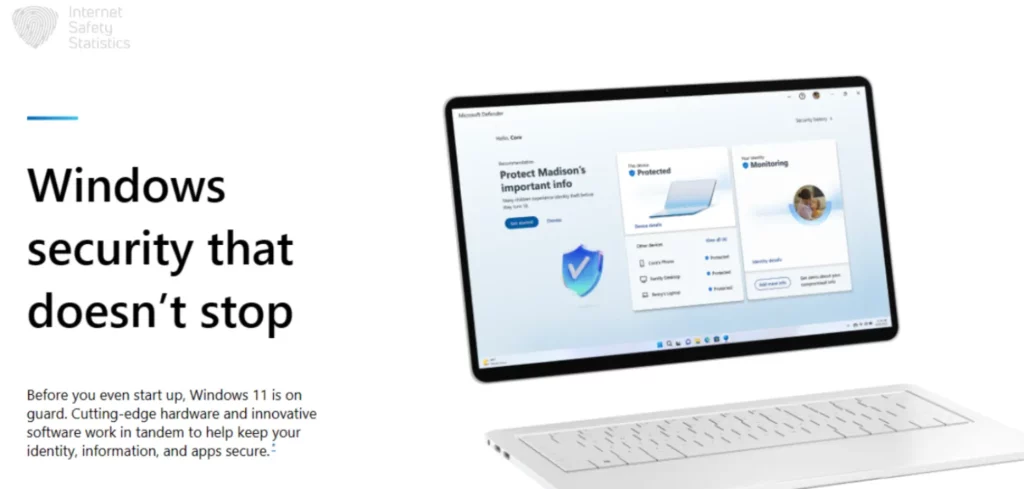
The Windows 10 Firewall‘s peer antivirus software is Microsoft Defender. The antivirus software is a Windows-integrated software that installs after you get your operating system up and running or after booting. Microsoft Defender is also a free antivirus software that’s only compatible with the Windows operating system version 8.1 and later versions.
Microsoft Defender is a good antivirus software that mirrors the protection of many powerful antivirus agents on the market, such as Avast and Kaspersky. Although not as thorough as these agents, Microsoft Defender remains a worthy competitor. The software offers good real-time protection against viruses, malware and phishing. It will scan your email for possible spam email and flag any phishing attempts as well. Microsoft Defender will prevent you from visiting possibly harmful websites, such as phishing websites that look real. One of Microsoft Defender’s favourite features for many, especially parents, is the Parental Control feature. This feature allows users to create and monitor their kids’ profiles, block unwanted content or websites and set a timer on screen time.
Moreover, Microsoft Defender has an advanced sandbox feature for Microsoft Edge, previously Internet Explorer. The feature, Application Guard, allows the user to open a website in the sandbox mode in Microsoft Edge to prevent it from affecting the system. Even if the user is using another browser, the sandbox feature will automatically open using Microsoft Edge. The last feature we’ll list of Microsoft Defender is its Controlled Folder Access, which allows the user to limit application access to sensitive files. If any application or possible virus attempts to access these files, the antivirus will alert the user immediately to take proper action by allowing or blocking this access.
Comodo Antivirus
There are two packages of Comodo Antivirus; the first is the free package, and the second is the paid package. There are multiple differences between the two packages. To begin with, Comodo Firewall comes only with the paid package. Two other main features that are missing from the free package are the Secure Shopping feature, which protects your shopping experience and credit card data online, and the Web Filtering feature, which keeps your web-surfing experience safe from possible phishing attempts, spam and adware.
Comodo Antivirus will offer you good real-time protection with a powerful firewall, a sleek gaming mode, parental controls and numerous scanning options. The antivirus loses against some big names on the market, such as Bitdefender, which supports more devices. Additionally, since Comodo antivirus supports only the Windows operating system, it comes after many more inclusive names in the cybersecurity field.
Comodo Firewall isn’t an integrated feature in Comodo Antivirus, which means you can download the firewall only or the antivirus only to benefit from their advantages. You can also pair either software with whichever third-party cybersecurity agents you prefer.
Now that we’ve compared both Windows 10 Firewall and Comodo Firewall, we think both firewalls are good cybersecurity agents and will effectively protect you against threats on the network. The minor differences between the two are due to preferences, so you are the one to choose which firewall works best for you.